Tagged project-based learning

Teaching DH on a Shoestring: Minimalist Digital Humanities Pedagogy

Abstract

This article explores minimalist digital humanities pedagogy: strategies for teaching DH at institutions that don’t have many resources for doing so. Minimalist digital humanities pedagogy aims to maximize learning while minimizing stress, barriers of access, and time (for both instructors and students). This article considers how we can take a minimalist approach to course design, course websites, and DH project assignments. Throughout, it highlights how free, low-cost, and open-source tools can be used to help students increase their digital literacy, including their awareness of the ways technologies reproduce and challenge conditions of inequality. Such methods, I contend, can help students at a range of institutions develop digital skills both to navigate the world and to change it.

Keywords: pedagogy; digital literacy; student-centered learning; teaching; digital humanities; project-based learning.

The educational benefits of digital humanities are multifaceted. Studying DH helps students increase their digital literacy. It teaches them to think critically about how technology shapes social, cultural, and political life. They learn to see beyond “productivity” and “innovation” and question the material conditions—related to labor exploitation and environmental impact—that underlie shiny new technologies. Many use what they learn to create digital projects that aim to improve society. In the process, they gain valuable transferable skills like project management, collaboration, and digital publishing. These skills, we know, are valuable not only to future employers, but to students, in their lives as activists, artists, and engaged citizens. At the heart of this article is one simple but strongly held belief: that these experiences should be available not only to students at elite research universities, but to all students, regardless of the kind of institution they attend.Though access to college has increased dramatically in the past fifty years, disparities in the kind of institutions students attend and what they study have actually intensified along the lines of race and class (Mullen 2010; Fabricant and Brier 2016; Hamilton and Nielsen 2021). Today, affluent white students are channeled into elite, exclusive, and well-funded institutions—private colleges and flagship campuses of state universities—where they have access to small class sizes, receive personalized instruction, and are encouraged to study a broad liberal arts curriculum. By contrast, working-class students and students of color are tracked into drastically underfunded institutions, which have fewer full-time instructors, larger class sizes, and higher instructor teaching loads, and where they are steered towards pre-professional vocational education.

In “Whose Revolution? Towards a More Equitable Digital Humanities,” Matthew Gold (2012) sounded the alarm about the ways that DH funding was contributing to these disparities through its concentration at elite, research-intensive universities. Gold writes, “At stake in this inequitable distribution of digital humanities funding is the real possibility that the current wave of enthusiastic DH work will touch only the highest and most prominent towers of the academy, leaving the kinds of less prestigious academic institutions that in fact make up the greatest part of the academic landscape relatively untouched.” For all that digital humanities promises in regards to disruption, transformation, and social change, such promises will ring hollow if the field is confined solely to elite institutions and the affluent students they serve.

Though it’s difficult to find precise information about where exactly DH courses are taught, data from Gold’s “Degrees in Digital Humanities” Github repository suggests that the vast majority (roughly 87%) of the schools that offer DH programs are research-focused and/or private universities.[1]

pie chart showing that 58.5% are R1 & R2 universities, 20.8% are SLACs, 13.2% are other public institutions and 7.5% re other private institutions
Figure 1. US Universities with an undergraduate major, minor, specialization, or certificate in digital humanities.

At these schools, teaching loads are lower, class sizes are smaller, and there is often greater funding for technology, equipment, physical space, librarians, and support staff. The problem, then, is that the siloing of digital humanities teaching only in elite institutions can actually reproduce, or even exacerbate, existing power hierarchies by equipping more affluent and predominantly white students with extensive digital skills, while students at under-resourced institutions fall farther behind. Thus, this article focuses on what I call minimalist digital humanities pedagogy: strategies for teaching DH at institutions that don’t have many resources for doing so.

Teaching DH at Under-Resourced Institutions

While elite schools more often make news headlines, the vast majority of our nation’s students are educated at what I’ll refer to as under-resourced institutions. Though definitions of “under-resourced” vary, I use this as an umbrella term for institutions where funding falls short of what is available at elite, private, and/or research-intensive institutions.[2] This encompasses open-access institutions like community colleges, Historically Black Colleges and Universities (HBCUs), Minority-Serving Institutions (MSIs), and regional, comprehensive universities—what Gold calls “the institutionally subaltern” (2012). My aim is not to erase the specificity of these various institutional contexts, but to strategize across these sites to develop pedagogical practices tailored for the material conditions of students and faculty at these kinds of institutions. At such schools, resources are often scarce and endowments nonexistent, but creativity and desires to learn exist in abundance.

Though we often imagine the average college student as someone between the ages of eighteen and twenty-two who lives on campus and is not working, but focusing solely on school, this profile describes an ever-smaller fraction of actual students. Today, 77 percent of undergraduates attend public universities and nearly 35 percent are enrolled in community colleges (NCES “Student Enrollment” n.d.). Thirty-three percent are above the age of 24 (Hanson 2022) and their average age is 26.4 years old (McCann 2017). Forty percent are first generation students (Startz 2022) and 33.6 percent receive Pell grants (NCES “Financial Aid,” n.d.). More than 70 percent of college students work while enrolled in college (and 40 percent work at least 30 hours per week) (Carnevale, Smith, Melton, and Price 2015). Only about 50 percent attend college full-time (McCann 2017). In contrast to their elite university counterparts, students at less exclusive and expensive institutions are more likely to be low-income, the first in their families to attend college, returning adults, veterans, and students of color. Many commute, rather than living on campus, and work full or part time outside of class. They can’t always afford functioning laptops, high-speed internet connections, or unlimited data plans. Often, their levels of preparation for college-level work vary widely. These are the material conditions we must keep in mind as we think about DH pedagogy.

This article draws on my experiences teaching DH courses (and incorporating such methods in other courses), alongside examples from other scholars, to articulate a vision of minimalist digital humanities pedagogy.[3] Digital pedagogy, here, refers not only to the use of digital tools and platforms, but to the process of helping students think critically about them, especially in relation to broader social conditions and questions of power. Minimalist digital humanities pedagogy Minimalist digital humanities pedagogy aims to maximize learning while minimizing stress, barriers of access, and time (for both instructors and students). In the sections that follow, I explore how we can take a minimalist approach to course design, course websites, and DH project assignments. More specifically, I highlight how free, low-cost, and open-source tools can be used to help students increase their digital literacy, including their awareness of the ways technologies reproduce and challenge conditions of inequality.

This article is inspired by recent scholarship on “minimal computing”: what Alex Gil defines as “computing done under some set of significant constraints of hardware, software, education, network capacity, power, or other factors” (Gil n.d.). This involves designing digital projects, not with the most flashy and expensive tools, but with those that will make the project accessible to users in a wide range of subject positions and geographic locations, who may have disparate access to resources. As someone who has only ever taught at under-resourced institutions, it’s always struck me that this is the work that we do every day as we’re figuring out how to teach digital humanities in such schools. By necessity, these institutions are sites of what Jade E. Davis (2017) calls “frugal innovation.” Davis’s four principles for “meaningful and accessible digital innovation” include: “1) simplify 2) make it fun (for faculty to learn and students to engage as part of the learning) 3) show relevance in learning and beyond 4) goal is always small cost to students including time, equipment, stigma, etc.”

This article also builds on a small but growing body of research on teaching digital humanities (Hirsch 2012; Risam 2019; Davis, Gold, Harris, and Sayers 2020; Guiliano 2022). In recent years, scholarly projects like Digital Pedagogy in the Humanities have made a concerted effort to focus on innovative teaching practices at a wide range of institutions (the introduction to that text is a useful primer for those who are just getting started). In examples drawn from her courses at a regional, comprehensive, teaching-focused institution, Roopika Risam (2019) shows how assignments such as digital textual analysis, digital writing, social media content creation, mapping and timeline projects, and Wikipedia editing assignments can help students better understand postcolonial literature, intervene in the digital cultural record, and increase their digital literacy.

Minimalist DH pedagogy also builds on Anne McGrail’s (2016) and David “Jack” Norton’s (2019) work on teaching DH in community colleges. In “The Whole Game: Digital Humanities at Community Colleges,” McGrail demonstrates how experiments with distant reading; long-term multimodal composition projects; and scaffolded, interactive assignments provide opportunities for community-college students produce knowledge and facilitate the kind of “social and cultural integration” that students at elite colleges gain through extracurriculars. Because such students often maintain “a fragile sense of belonging in the academy,” McGrail advises educators not to overwhelm them with unnecessarily complex assignments that might catalyze self-doubt. In addition, McGrail suggests that because community-college students’ average age is twenty-nine, it is important to affirm the different kinds of learning that they bring to the classroom as potential bridges to digital work. For Norton, the key to teaching DH at community colleges is designing sustainable, efficient, and reproducible teaching “workflows,” his term for the entire process of creating, teaching, and assessing assignments. Though some may hear in “efficiency” the squawks of the neoliberal university, Norton reminds us that this is a necessary strategy for navigating the large class sizes and high teaching loads one finds at community colleges. There, Norton reminds us, just five additional minutes spent per student on assessing an assignment can yield an additional thirteen hours of grading per week.

Seven Strategies for Minimalist DH Course Design

This section discusses seven strategies for minimalist DH course design, using my course on Digital Divides: Race, Class, and Gender in the Age of the Internet as the primary example. The syllabus is publicly available, as is the course website (a pedagogical decision I’ll discuss in greater detail). Digital Divides explores how digital tools and platforms both reproduce and can challenge conditions of inequality, especially in relation to race, class, gender, and sexuality. It aims to help students increase their digital literacy and to become advocates for digital justice. Though technically a 400-level seminar, minimal prerequisite requirements mean that it attracts a wide range of students. I also want to note that because my regional, comprehensive university affords the benefit of relatively small class sizes, with just fifteen to twenty students, I’ve also included ways to adapt these strategies for larger classes.

To give you a feel for the course, I’ve simplified the syllabus into six main units, which I’ll refer to in the points below. Such a structure, I believe, could easily be adapted for courses on topics like Black digital humanities, digital Black feminism, or digital ethnic studies.

Unit Major Readings Major Assignments
1) The Politics of Platforms (Excerpts from)
Nakamura, Digitizing Race
Eubanks, Automating Inequality
Noble, Algorithms of Oppression
Davidson, “Against Technophobia” and “Against Technophilia” in The New Education
Blog posts, comments, student-led facilitations
2) Situated Knowledges Haraway, “Situated Knowledges”
Readings on bias on Wikipedia
Wikipedia project
3) Labor Levidow, “The Women Who Make the Chips”
Nakamura, “Ecologies of Digital Production in East Asia”
News articles on working conditions in Foxconn
4) Introduction to Digital Humanities Risam, New Digital Worlds Analysis of an existing DH project
5) Student-led Lessons Students decide Each group of students leads a 50-minute class session
6) Final Projects “Critical and Creative Precepts for DH Projects”
Readings on accessibility
Students create public final projects
Table 1. Outline of Digital Divides: Race, Class, and Gender in the Age of the Internet.

Organize courses around topics that matter to students

At teaching-focused institutions, students often have not heard of digital humanities. It’s likely not listed on institution websites as a major, minor, concentration, or certificate. The halls may not be plastered with posters announcing upcoming DH events, speakers, or skills workshops (as was the case at my DH-focused PhD institution). Thus, instead of organizing the course around a subject many students were unfamiliar with, I instead organized Digital Divides around topics they do care about: namely, questions about justice and equity. The description states: “Is Google racist? Is Wikipedia sexist? In this course, we will critically reflect on the digital tools and platforms that mediate so much of our daily lives. More specifically, we will explore how digital technologies can reproduce and challenge conditions of racial, class, and gender inequality.” Framing the course in this way signals to students who care about social justice that this will be a course to explore their interests.

Assuage anxieties surrounding technological expertise

Another common experience among students at under-resourced institutions is a perception of their own technological inability. As Gold, Davis, and Harris write, recent research shows that “the last two generations of students are high-functioning consumers and users of digital technology rather than fluent, critical users of digital tools” (2020, 21). Though my students are aware of the large role technologies play in their lives, they’re also quick to admit how little they know about them. One way we can alleviate these anxieties is by explicitly addressing them. The description of Digital Divides lets students know that this course is “perfect for beginners; no advanced knowledge of digital technologies is necessary.” Another helpful strategy is making “increasing our digital literacy” one of the course objectives. I always tell students upfront that the only guarantee in this course is that things are going to go wrong. Whether they’re learning how to use WordPress or figuring out how to edit Wikipedia pages, things are inevitably going to be confusing. Tools and platforms are not going to work as they ought. Students will hit dead ends. But by making “increasing our digital literacy” a course goal, we can help students recognize these obstacles—and the strategies they develop for navigating them—as part of the learning process.

Begin with relevant texts that give students new perspectives on their everyday lives

Digital Divides begins with books like Safiya Noble’s Algorithms of Oppression (2018) and Virginia Eubanks’s Automating Inequality (2019), which highlight the often invisible ways that platforms mediate our everyday lives, in ways that can reproduce dominant power hierarchies. These readings establish a sense of urgency for the course, a sense that what students will learn this semester matters. Students’ reactions to these readings are intense. Many are, to use their term, “shook,” by these revelations about automated decision making. After reading, the devices glowing in their palms begin to look different. As early as the third week of class, students begin to ask questions like: “Why do people with authority in Google (as a company) not address the situation of racism and conduct more exams on their search engines?” “Do they change anything on their search engine to help fix this issue?” “How are algorithms created in the first place?” Many express frustration at not having been taught this earlier on and a belief that these readings should be required of all students. Beginning with compelling readings (or viewings or listenings) increases student interest and investment, which they then carry with them throughout the semester.

Help students identify their intellectual investments in the course material

Having students write blog posts and comments and lead in-class lessons on the assigned reading is one of the most effective tools in a minimalist DH pedagogy toolbox. As we read research about social media, algorithms, and surveillance technologies, these assignments create opportunities for students to connect the readings to their own particular experiences, situations, and contexts. In their blogs, comments, and facilitations, students identify potential applications and extensions of the research we read and begin asking deeper questions about digital platforms, some with the potential to turn into highly original research projects. For example, my students have shared stories about the unreliable internet connections in their rural home communities and how the college’s surveillance software identified a fake ID scam on campus. Through these assignments, students generate the observations and ideas they might later build on in their projects.

Some quick logistics. These blogs, comments, and facilitations are a major focus of our course. Depending on the course level and the number of students, they are worth anywhere from 30–75% of students’ final grades. For most classes, two students write blogs about the assigned reading and then serve as in-class discussion leaders. Their blogs can focus on whatever interests them, and we discuss how good blog posts help us see an aspect of the reading in a more complex and nuanced way. Every other student leaves a comment on at least one of the blogs prior to class (we discuss how effective comments advance the conversation, often by bringing in an additional example that further supports or complicates the blog author’s main point). In class, the two bloggers stand in front of the classroom and each teach a ten-minute lesson related to their post. We call these “facilitations” rather than “presentations” to emphasize their interactive nature. Though this assignment can take place on an institutional learning management system, the next section discusses the additional benefits of utilizing WordPress for the course’s digital learning environment, provided one is able to do so.

Yet we also need to consider how to evaluate these assignments, since they can leave us, depending on our teaching loads, with upwards of ten blog posts and seventy comments to read prior to each class. I have navigated this by providing written feedback on only two comments throughout the semester and using a rubric for all others. You can choose to spread out the evaluation workload by selecting different days to provide feedback to different classes or concentrate this feedback on a few particular days, blocked off for grading, as one would for a midterm or final essay. In addition, though I don’t always have time to closely read each comment prior to class, I try to highlight at least two excellent comments each class to incentivize thoughtful comments.

Organize course units around praxis

Another strategy is to organize course units around praxis: testing out and generating ideas through practice. As J.K. Purdom Lindblad, Bethany Nowviskie, and Jeremy Boggs (2020) write, “praxis-oriented pedagogy helps students engage with theory through concrete action.” Often, this involves pairing readings (or viewings or listenings) with small activities and assignments that challenge students to test out these ideas by experimenting with different digital tools. McGrail (2016) highlights two examples of praxis-based assignments that have been effective with community-college students: one on crowdsourcing and digital labor that results in a public policy paper, another on search engines that helps students explore “filter bubble” and “choice architecture.” Jewon Woo’s online course on “Intro to Black Digital Humanities” at Lorain County Community College includes additional examples of praxis-based assignments on topics such as “#BlackLivesMatter and social media” and “Distant reading of runaway slave advertisements.” The course opens with readings on race in digital space—including articles on digital blackface—and then asks students to write a digital auto-ethnography in which they critically reflect on their practices of self-representation online. In her unit on “#BlackLivesMatter and social media,” students read research on social media and social movements and then analyze a particular trend related to the #BlackLivesMatter hashtag on a platform of their choice.

Digital Divides encourages praxis through a unit on “Situated Knowledges and Wikipedia.” Students read Donna Haraway’s foundational 1988 essay on feminist epistemology alongside articles on bias on Wikipedia and then explore these ideas by attempting to edit or create Wikipedia pages. While Wikipedia might seem like it contains neutral or objective facts, these readings introduce the idea that the platform’s content actually reflects the standpoints of its authors. They discuss how structural barriers such as difficulty of the editing software, harassment of editors, and subjective standards impact who ends up editing Wikipedia. As a result, the platform’s content reflects the particular subject-positions of its predominantly affluent, white, male authors. After discussing these texts, students further explore these structural barriers by attempting to edit or create Wikipedia pages. By attempting to add information that meets Wikipedia’s criteria for “notability” and “neutral point of view,” students learned to think critically about the accuracy and reliability of online information, as well as the ways that the editing platform’s difficulty can become an obstacle to greater participation. As Risam writes, “editing Wikipedia gives students both experience with the politics that shape how knowledge is produced online and the tools to intervene in it” (2020, 107). Such assignments also help students understand the platform’s affordances and limitations. Summarizing the view of many in my class, one student described learning that the information on Wikipedia is often “useful and accurate however it does not paint a full picture” and that “Wikipedia should be used as a stepping stone for information … [and] a path to deeper research.”

Though creating a Wikipedia assignment can initially be time consuming, it is then relatively easy to reproduce in other courses. For those who may be interested in doing so, the Wiki Education nonprofit organization provides extensive support and a designated liaison to assist with setting up the project. There are also many online resources on designing effective Wikipedia assignments.[4]

Create opportunities for students to design a portion of the course

As educators well know, students learn best when they make decisions about the content and methods of their learning. One way we can encourage this is by dividing students into groups and having them design and teach course sessions on a topic of their choosing. Unit five of Digital Divides includes a student-led lesson assignment, in which students work in small groups to identify a topic they want to learn more about and then design, prepare, and teach a fifty-minute course session on the subject. Sample topics have included “fake news and media bias” and “LGBTQ+ discrimination on dating apps.” In Digital Divides, we dedicate a week of in-class time to research and preparation, and another two weeks for students’ lessons (though more would be warranted if you can spare it). Each group is responsible for every component of the lesson. First, they read a wide range of sources (scholarly research, news articles, videos of academic or TED talks, podcasts, etc.) to select the most informative, reliable, and relevant material to assign to their peers for homework. Often, by this point in the semester, students have internalized the praxis-based methods of the course, and the homework they assign to their classmates includes not only texts but also small experiments. For example, the group focused on “accessibility and universal design” asked us to apply key concepts from disability studies to everyday digital practice, by running accessibility checks on websites. Next, each group develops a plan for teaching this material to students, and we discuss various methods for doing so. They then teach an entire fifty-minute course (for larger classes, you could divide course sessions in half, so each group leads a twenty-five minute lesson). Through this process, students develop strategies for tracking down reliable information on new subjects, conveying ideas to others, collaboration, public speaking, and project management.

two photographs of chart paper, both handwritten with a date in a box at the top. Below each date is written “topic,” “homework,” and “plans.” Students have filled these in. The left photo reads “Wed. 10/23” “topic: accessibility in digital spaces” “homework: guidelines reading and access report” “plans: free writing and discussion.” The right photo reads “Wed. 10/30” “topic: racism in dating apps.” “Homework” is blank. “Plans” are listed but the handwriting is small, “speed dating” is legible at the top of a list of five bullet points. “Exit ticket” is the last bullet point.
Figure 2. Planning documents for student-led lessons.

Utilize group work to teach collaboration

Group work is key to minimalist pedagogy for several reasons. For one, it helps students develop skills they can draw on beyond the classroom. Unlike individual assignments, group work more closely parallels the ways projects are completed outside of classrooms. The ability to work with others toward a goal is essential for success in any endeavor, whether that’s organizing a protest, solving a problem in the workplace, or arriving at an accurate medical diagnosis. In addition, group work decreases the volume of work instructors must evaluate, thus allowing us to increase the depth of feedback and attention we give. It also frequently results in stronger projects.

Ensuring these outcomes requires carefully structuring the collaboration process. I try to start from the premise that we don’t inherently know how to equitably distribute work and work effectively with others. Why would we, when so much of education teaches us to compete, rather than collaborate, with the students sitting next to us? We also address upfront the common yet dreaded phenomenon in which one student does all the work, while everyone else receives credit. Instead, we treat collaboration as a skill—like writing a thesis statement—something that we can get better at with practice. In class, we use an adapted version of Arola, Ball, and Shepherd’s “Guidelines for Successful Collaborations” in Writer/Designer (2022) to discuss strategies for dividing up large projects into small components, equitably distributing work, and setting deadlines for various components. (Students often have additional suggestions to add.) In class, students decide what each group member will do for homework, and I check in to ensure they remain on track. For any group assignment, students write a “collaboration evaluation” where they reflect on both their own and their peers’ contributions (this can be a simple, ten-minute warm-up writing exercise). Below is an example of what such an evaluation can look like:

Collaboration evaluation

  • Write your project name, your name, and group members’ names on a piece of paper.
  • How would you evaluate your own contribution to the final project?
    • Were you prepared for each group meeting and working session? Did you listen and contribute to conversations? Did you try to make sure everyone was included?
    • What else would you like to share about your participation? Were there any circumstances that prevented you from being an ideal contributor? Keep in mind that no one is perfect!
  • How would you evaluate your peers’ contributions to the final project?
    • Were your peers prepared for each group meeting and working session? Did they listen and contribute to conversations? Did they try to make sure everyone was included? Did you all contribute equally to the project? Keep in mind that no one is perfect!
  • Remember that contributions to a collaboration can take many forms: setting up a Google Doc, sending reminder emails, printing drafts of the project, writing, editing, finding images, formatting citations, transfering the project from Google Docs to your platform, etc.

Course Website

For educators with high teaching loads (and those prohibited from teaching on alternative platforms), the institutional learning management system (LMS) may be the best platform to use for the course website. Yet for those who may have pre-existing knowledge of website-building platforms like WordPress (or a desire for a hands-on opportunity to learn more about them), using alternatives to the LMS as a course website presents exciting and effective opportunities for helping students increase their digital literacy and awareness of the ideologies embedded in different platforms.

Rather than using our LMS (in our case, Blackboard), I create customized course websites using the open-source software WordPress.org. While some schools provide WordPress to students and faculty through platforms like Commons in a Box and Domain of One’s Own, Reclaim Hosting offers affordable server space for educators at schools that don’t. Creating these sites can be labor intensive (readers who are already spread thin, feel free to skip ahead to the next section!). But the pedagogical benefits are impressive. One reason I teach with WordPress is because it’s the platform on which 34 percent of the world’s websites are built. Unlike with Blackboard, when students learn to use WordPress they are developing a transferable digital skill that they can utilize beyond the classroom. Even a basic understanding of WordPress is valued in many workplaces: former students have gone on to use it in their internships and jobs. Using WordPress for a course website also catalyzes what Paul Fyfe (2011) calls “defamiliarization”: a productive estrangement from the LMS students are accustomed to. From this alternate vantage point, we can better apprehend how learning management systems like Blackboard are not neutral. Rather, like the other digital platforms we analyze in the course, they shape our relationship to learning. Often, and with minimal prompting, students begin to reflect on the ways learning looks and feels different in our digital environment: the online counterpart to the creative, student-centered community we work to cultivate in the classroom. On our WordPress class website, in a very literal sense, students’ words take center stage: their blogs are the home page. This contrasts sharply with Blackboard, which foregrounds the instructor’s content and reinforces hierarchical models of teaching. This opens up broader conversations about how educational technologies reproduce what Paulo Freire (1970) refers to as a “banking” model of education, in which expert professors deposit knowledge into students, who are then evaluated on their ability to memorize it.

I scaffold students’ interaction with WordPress to gradually familiarize them with the platform. First, students learn to write blog posts and comment on each other’s work. In lower-level courses, the next scaffolded interaction involves using WordPress for a collaborative class project in which we co-author a digital glossary of keywords for literary studies. In the context of an upper-level course like Digital Divides, once students are familiar with the WordPress Dashboard, they then work in small groups to create their own sites. While students are accustomed to using platforms like Instagram, Twitter, Snapchat, and TikTok, for many, this is their first time creating their own website.

screenshot of home page for Digital Divides: Race, Class, and Gender in the Age of the Internet from 2019 with student blogs as home page
Figure 3. Customized WordPress website for Digital Divides.

As professors, we often try to strike a delicate balance between introducing students to new tools and platforms that will help them increase their digital literacy and relying on traditional ones so as not to overwhelm them (or ourselves!). Sometimes the benefits of using a familiar platform will outweigh those of introducing a new one. For instructors who choose not to go rogue, there are other ways to help students think critically about the required LMS. Students can research where these platforms came from, who holds decision-making power over them, how much they cost, and how they treat student data. We can assign work by Jesse Stommel and Sean Michael Morris, which questions whether learning management systems facilitate—or actively impede—our pedagogical goals of creative, consciousness-raising education. We can also discuss what assumptions about learning and the student-teacher relationship are embedded in the platform and invite them to imagine better alternatives, for example, by drawing what their ideal digital learning environment would look like.

Digital Humanities Project Assignments

Today, collaborative projects are one of the most common features of DH pedagogy—and for good reason. Extensive research by scholars like Kathleen Blake Yancey (2009), Tanya Clement (2012), Mark Sample (2012), Cathy Davidson (2017), Roopika Risam (2019), and Jeffrey W. McClurken (2020) has demonstrated that teaching through digital projects increases student motivation, learning, and the quality of their work. As McClurken writes, students “invest more effort, time, and attention on public class projects because they know that their creations are viewed by an audience that goes well beyond their instructors” (2020). Among their many benefits, project assignments give students the opportunity to reflect on what they’ve learned and share it with an audience beyond the classroom. In doing so, they teach students to use what they are learning, not just for personal gain, but to contribute to the public good. In Clement’s words, digital projects increase students’ “sense of creative control and … desire to participate in society” (2012). Cathy N. Davidson calls this making “a public contribution to knowledge” (2017, 267). Building on this research, this section explores how we can guide students in creating public projects worth sharing with audiences beyond the classroom. I focus, in particular, on how we can design such assignments both for teaching-focused institutions and in ways that prompt deeper critical engagement with broader issues related to the politics and ethics of technologies.

When designing project assignments it’s important to consider students’ distinct learning styles, skill levels with different technologies, and the materials (hardware, software, bandwidth, and equipment) they have access to, both on campus and at home. If, for example, we’re asking students to create a podcast, what kind of recording hardware (such as microphones) and editing software are necessary? Will students be expected to learn these on their own time or will tutorials be given in class? Jennifer Guiliano recommends “setting up loan programs for devices, creating low-bandwidth versions of course content, and providing alternative assignments that scale up to the resources available to your students” (2022, 8). Another key factor is the time that students have to complete the assignment, including how much of it will be completed inside and outside of class. In 2020, 40 percent of full time students and 74 percent of part time students held jobs while attending college (NCES 2022). They might also be commuting to campus or have family obligations, both of which make collaborative work outside of class difficult. For students who might be juggling multiple jobs as well as family obligations, scheduling in-class working sessions is paramount. So too is giving credit for this lab time. If possible, it’s helpful to reserve the computer lab to ensure that students have access to the technologies they need and have time to work together in groups. In situations where there aren’t enough computers to go around, students can be asked to bring in their own devices or double up in pairs or groups. As we design project assignments, we want to make sure that every student is equipped to succeed, regardless of prior experience, material constraints, and the amount of time they have to work on projects outside of class.

Digital project assignments can take many different forms, such as:

  • creating something for the college community
  • (co-)authoring a piece of public writing (like a blog post)
  • creating a digital resource for a particular audience or community
  • contributing to an existing digital humanities project
  • improving an existing digital resource (such as editing Wikipedia articles)
  • creating a particular product which might relate to the broader course goals (producing a map in a geography course or a digital exhibit in art history)
  • open-ended projects in which students select a digital platform and create a project based on something they have learned in the course

For now I’m going to focus on the last one—open ended projects—as a key component of minimalist DH pedagogy. Rather than dictating the form their projects will take, students select their own form (such as website, podcast, timeline, or lesson plan) and choose an appropriate platform for their project. One key requirement is that the project should be useful to an audience beyond our classroom.

Open-ended projects have many benefits, especially for students at under-resourced institutions. They create space for student creativity. This is especially important, given the inequities of our tiered US education system, which readily provides affluent students with learning that nurtures their creativity, and leaves standardization and teaching to the test for everyone else. Open-ended projects also honor the experiential knowledge that students bring to the classroom. In addition, they require students to think critically about which platform they will select to fit the goals of their project—a key component of digital literacy. Open-ended projects are also well suited for heterogeneous students with a range of different skill levels, abilities, and levels of comfort with technologies. They allow students to determine whether they will use the project as an opportunity to learn a new platform or create something using a tool they’re more comfortable with. Such assignments are also easy to reuse and adapt for other courses—especially important for instructors with heavy course loads.

In Digital Divides, students work in small groups to create a public digital project related to our course content or their own interests (here is the full assignment sheet). This project is the product of a scaffolded assignment sequence that first introduces students to the field of digital humanities, then asks them to review an existing DH project, and then challenges them to create their own project. The set-up for the assignment begins on the first day of class, when students are informed that the course will conclude with a project. Throughout the semester, we look at examples of projects created by former students so that they can start thinking about what kind of project they’d like to create. About halfway through the semester, students are introduced to the term “digital humanities.” I wait until the middle of the course so that it can become not an intimidating new field but a term to describe the work they have already been doing. The definition we use is adapted from Kathleen Fitzpatrick’s statement that digital humanities involves 1) using digital tools and methods to perform humanities research (on culture, language, history, society, art, education etc.) and 2) analyzing technologies by asking humanistic questions (about power, representation, ethics, politics, labor, etc.) (Fitzpatrick, Lopez, and Rowland 2015). We also use the paradigm in Risam’s New Digital Worlds (2019) to think about how “the digital cultural record” both reproduces and can challenge existing power hierarchies. Next, students use these ideas to review an existing DH project related to social justice (assignment sheet). I provide options based on the students’ interests, and they’re welcome to find their own. They write a review of the project and present it to the class. In the future, I plan to assign sample reviews in Reviews in DH as models for student work.

This review sets up the project assignment, which has three stages:

  1. a tool parade to evaluate the affordances and limitations of different platforms and
    select the best one for their project
  2. drafting project proposals, voting on top choices, organizing into groups
  3. planning and executing the project

While the amount of time devoted to such projects will vary depending on the scope of the assignment, I have found that a minimum of four weeks is necessary for a project that includes a proposal, rough draft, peer review, and then the submission and presentation of final projects (more would be warranted, again, if you can spare it).

1) Tool parade

The first stage of the assignment involves what Jesse Stommel calls a “tool parade,” which introduces students to a range of potential platforms that they might use for their project. Over the course of one fifty-minute course period, students are introduced to about eight platforms, with time at the end for students to do more research on ones that interest them. We meet in a computer lab if one is available, or students bring laptops to class (doubling up if devices are in short supply). Figure 4 illustrates the note-taking format I suggest students use as they evaluate the affordances and limitations of different platforms in order to select the most appropriate one for their project. Through this activity, we distinguish between form—as in, type of project, such as podcast, website, timeline, or blog post—and platform, or software, that they’ll use to create their project. Key here is the notion that different platforms can be used to produce a particular kind of project (a timeline could be built on an open-source platform like Timeline.js or a proprietary platform like Tiki-Toki) and that some platforms, like WordPress, can be used to create different kinds of projects, such as a blog post or website. Hesitant students may choose to stick with a platform that they know, perhaps using the project as an opportunity to increase their basic knowledge of WordPress, while technologically-savvy students may select a platform beyond those covered in class. As instructors, we are not responsible for teaching students how to use each platform; rather, we can guide them in their efforts to learn these new tools for themselves.

An empty chart with the headers Platform; Type of project (podcast, website, timeline, map, blog, etc.) you could use it for; Affordances; Limitations; and Additional notes/questions
Figure 4. Suggested note-taking format for tool parade.

Next, students perform further research on potential platforms they might use for the project. Depending on how much time you have, this platform analysis could range from an in-class activity to a more formal written analysis that students present to the class. We use two sets of questions to guide this activity. The first set guides students in rhetorically analyzing platforms to consider the choices that will be available to them in creating their projects.

Questions for rhetorical analysis

  • What are the conventions of the platform?
  • How is information organized?
  • How is content structured?
  • What works well?
  • How are media incorporated?
  • How are citations attributed?

The second set of questions guides students in analyzing these platforms in relation to broader questions about data, privacy, and power. My goal is to help students understand that platforms are not ideologically neutral, and to consider the material conditions that underlie them.

Critical platform questions

  • Who created this platform? When? Why?
  • Who funds the platform? Who profits from the platform?
  • What software was used to create this platform?
  • What is the platform’s privacy policy? How does it treat users’ data?
  • What terms are you agreeing to if you sign up for this platform?
  • What do we know about the users or community?

These questions encourage broader awareness of the ways that profit shapes our online experiences, as in the old adage that “if you’re not the customer, then you’re the product.” To take just one example, my students are often eager to publish their work on HASTAC.org, a free, nonprofit, academic social network and blogging platform that allows students to share their work with its 16,000 network members, “humanists, artists, social scientists, scientists, and technologists” committed to “changing the way we teach and learn.” In addition to reading HASTAC’s Privacy Policy and Legal Agreement, we discuss how, unlike many other free digital platforms, HASTAC has promised to never share users’ data with third parties, which earned it the moniker of “the ethical social network.” Through these questions, we can do more than simply teach students to use particular digital tools—we can help them increase their digital literacy. These are questions that I hope students will ask in the future when they encounter new tools and platforms.

2) Proposal

The tool parade prepares students to write a project proposal (instructions in assignment sheet) in which they identify the aims, audience, impact, type of project, platform, and a work plan. They also identify whether their project can best be achieved by an individual or by a group and explain their reasoning. Then they vote on their top choices and organize into groups.

3) Planning and execution of projects

This involves co-working sessions in the computer lab, the submission of rough drafts, peer review, and the presentation of final projects. Figure 5 contains the chart I use to help us keep track of all materials related to the project.

chart with five columns “name” “proposal” “rough draft” “peer review doc” and “final draft” and four rows “name” “Brooke G.” “Greg” “Megan.” In the interior chart boxes are hyperlinks to each student’s work.
Figure 5. Chart to Keep Track of Students’ Final Project Materials.

One key advantage that public projects offer over final papers is the fact that they can be viewed by audiences beyond the classroom. This seemingly small shift opens up a world of possibilities for teaching digital literacy.

First, the public nature of such projects presents key opportunities to help students think critically about privacy. While students are often eager to undertake public projects, we have to help them understand the potential risks of doing so (McClurken 2020; Stommel and Morris 2020). Kevin Smith, Director of Copyright and Scholarly Communication at Duke University, offers four steps for mitigating the risks of public assignments. These include 1) informing students about the public nature of assignments early on and providing opportunities for them to speak with you about issues of privacy; 2) allowing them to use an alias or pseudonym; 3) reminding students not to post private information (such as their dorm location or social security number); and 4) providing alternative ways for students to fulfill class requirements.[5] My goal is always to help students make informed decisions about how much of their identity they want to disclose.[6] We discuss how their work can become genuinely useful to others, but also how their writing will be attached to their names and appear in search results for years to come, including those of potential employers, internet trolls, and immigration officials. As Table 2 illustrates, I try to help students think expansively about the implications of publishing work with their real names vs. using a pseudonym, omitting their names altogether, or choosing an alternative option that won’t be made public.

Should I use my real name?
Pros Cons
Other people interested in this topic might reach out, leading to opportunities for future collaboration. I’m only a first-year student. I anticipate learning and improving my writing during my college education. Maybe I’ll start using my name when I’m further along in my education.
If future employers search for me, they might see this instead of my Instagram. I completed this project while studying for four exams. I didn’t have time to give it the proofreading I would have liked. This may not be reflective of my best writing.
I can send this to future employers as evidence of my collaboration and digital-publishing skills. My ex-boyfriend might use this to determine my location.
Table 2. Help students make informed decisions about how much of their identity to disclose.

Second, the public nature of digital projects creates space for conversations about accessibility: the ways students’ design choices might impact the audiences they’re hoping to reach, including those differently positioned amid intersecting axes of power. Often, we’ll discuss “Creative and Critical Precepts for Digital Humanities Projects,” which helps students think about how to design a project that will be accessible to a wide range of users. For instance, the list of questions on “Access” includes “How accessible is the project in low bandwidth environments?” and “How accessible is the project for people with disabilities?” If students are making podcasts, we can discuss how providing an accompanying transcript will make it accessible to audiences with a range of abilities. Through this process, students gain valuable experience creating accessible digital work.

On the final day of class, I always present students with a public, digital gallery of their projects to visualize all that we have done together. This landing page allows students to interact with each other’s projects. It also helps them to easily locate their projects, which they can then share with their friends, with their family, as part of graduate school applications, or with potential future employers as evidence of their skills in writing, editing, collaborating, project and time management, and digital publishing.

image gallery of six final projects from Digital Divides: Digital Grief, The True Path of the iPhone, Women’s Rights are Human Rights, Technology and the Sexualization of Young Women, LGBTQIA Discrimination, Dating App Discrimination
Figure 6. Digital gallery of final projects from Digital Divides.

Open-ended projects also allow students to pursue their own intellectual interests and create projects that are meaningful to them. Students reflect on what they have learned, identify gaps in dominant discourse, and figure out how to use their knowledge and skills to create something that will be useful to an audience beyond the classroom. Among the projects that emerged from my Fall 2019 version of this course was an activist art project in which students used what they had learned about the exploitative labor conditions in Apple’s Foxconn factories to redesign the packaging of an iPhone box to tell the story of “The True Path of the iPhone.” Another group created a lesson plan for middle-school teachers on the sexualization of young girls online, including assigned readings and viewings, discussion prompts, slides, and class activities, which they encouraged other educators to utilize via HASTAC. Yet another student created an interactive Twine storytelling game that explores the emotional experiences of grief in an era where the digital leaves traces of everything. Such projects reinforce the idea that students are active knowledge producers with important things to say and who can use what they learn to make a positive impact in the world.

One of the most effective (and essentially free) things we can do as instructors is to help students reflect on and articulate what they have learned. This involves discussing the “why” behind any assignment: what skills or knowledge we hope they will gain by doing it. At the end of every semester, I provide students with a course rationale that explains why we did each assignment and what I hoped they would get out of it. For their final assignment, they write a reflection on the various components of the course: what they learned, what they’ll take away, what they’ll continue working on, and how assignments might be improved. For the final project, the rationale states: “This semester, you used what you learned in class to create a digital project that would be useful to an audience beyond our classroom. This assignment was designed to help you think critically about the affordances and limitations of different platforms, to give you hands-on experience with digital publishing, and to practice applying what you learn to make a positive impact on the world. Through this assignment, you developed time and project management skills by creating a work plan, adjusting your project to meet set deadlines and time constraints (often in the tech world called “scoping” a project), and equitably distributing work. Your digital projects will live forever on the internet and can be shared with friends, family members, and future employers, especially as evidence of your writing, digital publishing, project management, and collaboration skills.”

Conclusion

In this article, I have highlighted some ways we can teach digital humanities without expensive software, grant funding, or labs, and sometimes even without functioning faucets. Yet this minimalist approach won’t solve the problems of unequal resource allocation in our tiered system of higher education. At the same time that we do the best we can with what we have, we must also refuse to settle for the unjust and inequitable policies of racialized austerity (Fabricant and Brier 2016; Hamilton and Nielsen 2021). Instead, we must insist that all students, regardless of race or class, deserve small class sizes, cutting-edge technology, and adequately compensated instructors. This means advocating for greater state funding for education and the redistribution of educational resources to those who need them most. All students deserve creative, transformative, empowering education—learning that prepares them not only to navigate the world, but to change it.
Notes

[1] Among the 53 US colleges with DH majors, minors, specializations, or certificates, roughly 60 percent are R1 and R2 institutions (some public, some private), 20 percent are Small Liberal Arts College, 13 percent are other public institutions (primarily regional, comprehensive teaching colleges), and 7 percent are private universities (primarily religious institutions).
[2] For example, the US Department of Education defines such institutions as Historically Black Colleges and Universities, Tribally Controlled Colleges and Universities, and Minority-Serving Institutions, many of which are community colleges.
[3] The schools I have taught at are Queens College, a public, urban university in the CUNY system and SUNY Cortland, a comprehensive, regional, teaching-focused institution.
[4] See FemTechNet on feminist wiki-storming and “Engaging Women’s History through Collaborative Archival Wikipedia Projects.”
[5] See also the Student Collaborators Bill of Rights, which states that “8. When digital humanities projects are required for course credit, instructors should recognize that students may have good reasons not to engage in public-facing scholarship, or may not want their names made public, and should offer students the option of alternative assignments.”
[6] In “Hybrid,” Sean Michael Morris and Jesse Stommel (2020) emphasize the importance of student agency in making determinations about privacy.

References

Arola, Kristin L., Cheryl E. Ball, and Jennifer Shepherd. 2022. Writer/Designer: A Guide to Making Multimodal Projects. New York: Macmillan Learning.

Carnevale, Anthony P., Nicole Smith, Michelle Melton, and Eric W. Price. 2015. “Learning While Earning: The New Normal.” Report from CEW Georgetown. Accessed October 1, 2022. https://cew.georgetown.edu/cew-reports/workinglearners/.

Clement, Tanya. 2012. “Multiliteracies in the Undergraduate Digital Humanities Curriculum: Skills, Principles, and Habits of Mind.” In Digital Humanities Pedagogy: Practices, Principles and Politics, edited by Brett D. Hirsch. Cambridge: Open Book Publishers.

Davidson, Cathy. 2017. The New Education. New York: Basic Books.

Davis, Jade E. 2017. “Frugal Innovation in Digital Learning.” Connected Learning Alliance. Accessed March 23, 2022. https://clalliance.org/blog/frugal-innovation-digital-learning/.

Davis, Rebecca Frost, Matthew K. Gold, Katherine D. Harris, and Jentery Sayers, eds. 2020. Digital Pedagogy in the Humanities: Concepts, Models, and Experiments. Modern Language Association. https://digitalpedagogy.hcommons.org/.

Di Pressi, Haley, Stephanie Gorman, Miriam Posner, Raphael Sasayama, and Tori Schmitt, with contributions from Roderic Crooks, Megan Driscoll, Amy Earhart, Spencer Keralis, Tiffany Naiman, and Todd Presner. 2015. “A Student Collaborators’ Bill of Rights.” UCLA Digital Humanities. https://humtech.ucla.edu/news/a-student-collaborators-bill-of-rights/.

Eubanks, Virginia. 2019. Automating Inequality: How High-Tech Tools Profile, Police, and Punish the Poor. New York: St. Martin’s.

Fabricant, Michael, and Stephen Brier. 2016. Austerity Blues: Fighting for the Soul of Public Higher Education. Baltimore: Johns Hopkins University Press.

Fitzpatrick, Kathleen, Andrew Lopez and Fred Rowland. 2015. “On Scholarly Communication and the Digital Humanities: An Interview with Kathleen Fitzpatrick.” In the Library with the Lead Pipe. Accessed March 23, 2022. https://www.inthelibrarywiththeleadpipe.org/2015/on-scholarly-communication-and-the-digital-humanities-an-interview-with-kathleen-fitzpatrick/.

Freire, Paulo. 1970. Pedagogy of the Oppressed. New York: Continuum.

Fyfe, Paul. 2011. “Digital Pedagogy Unplugged.” Digital Humanities Quarterly 5, no. 3. http://www.digitalhumanities.org/dhq/vol/5/3/000106/000106.html.

Gil, Alex. n.d. “About Minimal Computing.” Accessed March 23, 2022. https://go-dh.github.io/mincomp/about/.

Gold, Matthew K. 2012. “Whose Revolution? Towards a More Equitable Digital Humanities.” Matt Gold (Blog). Accessed March 23, 2022. https://blog.mkgold.net/2012/01/10/whose-revolution-toward-a-more-equitable-digital-humanities/.

Gold, Matthew K. 2022. “Degrees in Digital Humanities.” Github. Accessed March 23, 2022. https://github.com/dh-notes/dhnotes/blob/master/pages/dh-programs.md.

Guiliano, Jennifer. 2022. A Primer for Teaching Digital History: Ten Design Principles. Durham: Duke University Press.

Hamilton, Laura T., and Kelly Nielsen. 2021. Broke: The Racial Consequences of Underfunding Public Universities. Chicago: The University of Chicago Press.

Hanson, Melanie. 2022. “College Enrollment Statistics [2022]: Total + by Demographic.” n.d. Education Data Initiative, July 26. Accessed October 1, 2022. https://educationdata.org/college-enrollment-statistics.

Haraway, Donna. 1988. “Situated Knowledges: The Science Question in Feminism and the Privilege of Partial Perspective.” Feminist Studies 14, no. 3: 575–99. https://doi.org/10.2307/3178066.

Hirsch, Brett D., ed. 2012. Digital Humanities Pedagogy: Practices, Principles, and Politics. Cambridge: Open Book Publishers.

Lindblad, Purdom J.K., Bethany Nowviskie, and Jeremy Boggs. 2020. “Praxis.” In Digital Pedagogy in the Humanities: Concepts, Models, and Experiments, edited by Rebecca Frost Davis, Matthew K. Gold, Katherine D. Harris, and Jentery Sayers. Modern Language Association. https://digitalpedagogy.hcommons.org/keyword/Praxis.

Marvashti, Lisa Chinn. 2017. “UMW Shares Virtual Tool Parade.” University of Mary Washington. Accessed March 23, 2022. https://www.umw.edu/news/2017/09/20/umw-shares-virtual-tool-parade/.

McCann, Clare. 2017. “Perception vs. Reality: The Typical College Student.” New America. Accessed October 1, 2022. http://newamerica.org/in-depth/varying-degrees/perception-vs-reality-typical-college-student/.

McClurken, Jeffrey. 2020. “Public.” In Digital Pedagogy in the Humanities: Concepts, Models, and Experiments, edited by Rebecca Frost Davis, Matthew K. Gold, Katherine D. Harris, and Jentery Sayers. Modern Language Association. https://digitalpedagogy.hcommons.org/keyword/Public.

McGrail, Anne. 2016. “The ‘Whole Game’: Digital Humanities at Community Colleges.” In Debates in the Digital Humanities 2016. Minneapolis: University of Minnesota Press. https://dhdebates.gc.cuny.edu/read/untitled/section/39a2e421-1588-455a-8828-3709a728126f#ch02.

Morris, Sean Michael. 2017. “Reading the LMS Against the Backdrop of Critical Pedagogy.” Sean Michael Morris (Blog).Accessed March 23, 2022. https://www.seanmichaelmorris.com/reading-the-lms-against-the-backdrop-of-critical-pedagogy/.

Morris, Sean Michael, and Jesse Stommel. 2020. “Hybrid.” In Digital Pedagogy in the Humanities: Concepts, Models, and Experiments, edited by Rebecca Frost Davis, Matthew K. Gold, Katherine D. Harris, and Jentery Sayers. Modern Language Association. https://digitalpedagogy.hcommons.org/keyword/Hybrid.

Mullen, Ann L. 2010. Degrees of Inequality: Culture, Class, and Gender in American Higher Education. Baltimore: Johns Hopkins University Press.

National Council for Education Statistics. 2022. “Student Employment.” NCES. Accessed October 1, 2022. https://nces.ed.gov/programs/coe/indicator/ssa/college-student-employment.

National Council for Education Statistics. n.d. “Student Enrollment – How Many Students Enroll in Postsecondary Institutions Annually?” NCES. Accessed October 1, 2022. https://nces.ed.gov/ipeds/TrendGenerator/app/build-table/2/2?rid=1&cid=9.

National Council for Education Statistics. n.d. “Financial Aid – What Is the Percent of Undergraduate Students Awarded Pell Grants?” NCES. n.d. Accessed October 1, 2022. https://nces.ed.gov/ipeds/trendgenerator/app/answer/8/35.

Noble, Safiya Umoja. 2018. Algorithms of Oppression: How Search Engines Reinforce Racism. New York: NYU Press.

Norton, David “Jack.” 2019. “Making Time: Workflow and Learning Outcomes in DH Assignments.” Debates in Digital Humanities 2019. Minneapolis: University of Minnesota Press. https://dhdebates.gc.cuny.edu/read/untitled-f2acf72c-a469-49d8-be35-67f9ac1e3a60/section/f1b1d9a6-974b-46c4-afde-7606bf238fc3.

Risam, Roopika. 2019. New Digital Worlds: Postcolonial Digital Humanities in Theory, Praxis,
and Pedagogy
. Evanston: Northwestern University Press.

Risam, Roopika, micha cárdenas, Jeremy Boggs, Ashley Byock, Vinamarata Kaur, Joan Lubin, Emily Sessions, Danica Savonick, and Sveta Stoytcheva. 2015. “Creative and Critical Precepts for Digital Humanities Projects.” Accessed March 23, 2022. https://web.archive.org/web/20220522111041/http://criticaldh.roopikarisam.com/

Sample, Mark L. 2012. “What’s Wrong with Writing Essays?” Debates in Digital Humanities 2012. Minneapolis: University of Minnesota Press. http://dhdebates.gc.cuny.edu/debates/text/42.

Smith, Kevin. 2012. “Guidelines for Public, Student Class Blogs: Ethics, Legalities, FERBA and More.” HASTAC. Accessed March 23, 2022. https://www.hastac.org/blogs/superadmin/2012/11/30/guidelines-public-student-class-blogs-ethics-legalities-ferpa-and-more.

Startz, Dick. 2022. “First-Generation College Students Face Unique Challenges.” Brown Center on Education Policy, Brookings Institution, April 25, 2022. https://www.brookings.edu/blog/brown-center-chalkboard/2022/04/25/first-generation-college-students-face-unique-challenges/.

Stommel, Jesse. 2017. “If bell hooks Made an LMS.” Accessed March 23, 2022. https://www.jessestommel.com/if-bell-hooks-made-an-lms-grades-radical-openness-and-domain-of-ones-own/.

Yancey, Kathleen Blake. 2009. “Writing in the 21st Century.” Report from the National Council of Teachers of English. Accessed March 23, 2022. https://archive.nwp.org/cs/public/download/nwp_file/12440/Kathleen_Blake_Yancey_Writing_21st_Century.pdf?x-r=pcfile_d.

About the Author

Danica Savonick is an Assistant Professor of English at SUNY Cortland. Her research and teaching focus on twentieth-century and contemporary US literature, African American literature, feminist pedagogy, and digital humanities. She is currently completing a book manuscript, Insurgent Knowledge: the Poetics and Pedagogy of Toni Cade Bambara, June Jordan, Audre Lorde, and Adrienne Rich in the Era of Open Admissions (under contract with Duke University Press).

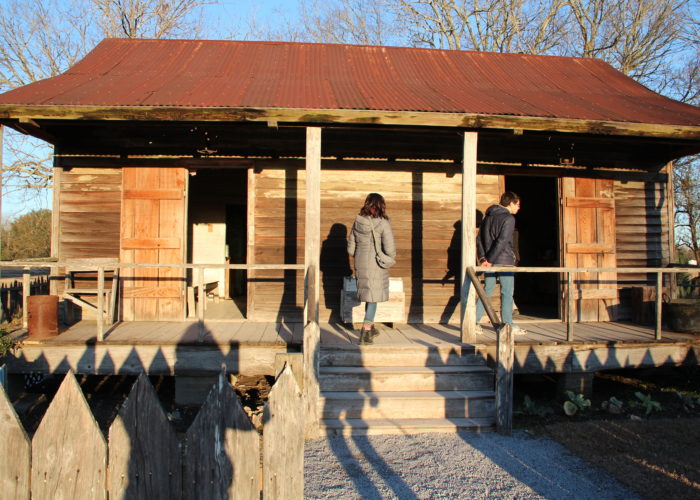
Grinnell College students examine a double-pen slave cabin in Vacherie, Louisiana.
0

Using Virtual Reality to Expand Teaching and Research in the Liberal Arts

Abstract

Grinnell College has established a lab for teaching undergraduate liberal arts students the hard and soft skills necessary to develop extended reality (XR) experiences. This lab helps the College respond to external social and economic pressures while retaining its core liberal arts values. Within the lab, students develop the metacognitive skills, technical training, and problem-solving strategies that will make them competitive candidates in a global twenty-first–century marketplace. For other institutions interested in implementing an XR lab on their campuses, we provide key takeaways in the following areas: how we launched our lab, the funding instruments that support lab activities, the hardware and software used to develop XR experiences, the development team structure and member responsibilities, lessons learned from the pilot project, and projects currently in development.

Background

Grinnell College, like many small liberal arts colleges, has questioned how to remain robust and relevant in a digital age (Selingo 2013; 2017). We value knowledge for its own sake, social justice, and critical thinking; yet, we accept responsibility for equipping our students with the skills that allow them to adapt to a world of rapidly changing professional opportunities. We refused to sacrifice the former for the latter. Instead, we created a learning environment to promote both our traditional values and practical job skills. In our lab, when students research, create, and evaluate extended reality (XR) experiences, they develop the technical, social-awareness, and problem-solving skills that make them attractive candidates for twenty-first–century jobs while exhibiting liberal arts sensibilities. By developing marketable skills within the framework of core liberal arts questions and experiences, the College moves toward a future in which our educational offerings are both highly relevant and eminently sustainable.

Various characteristics of and cultures within the institution have influenced how the College has responded to the pressures of a changing academic and digital landscape. Grinnell College is a small, residential, undergraduate-only liberal arts college in rural central Iowa. The College was established in 1846 with a basis in individual intellectual pursuit for the betterment of humankind that has remained strong to today and is in evidence with the individually advised curriculum. The teaching culture is centered around small, face-to-face, discussion-based classes that explore topics according to professor interests. The College includes disciplines in the arts, social sciences, and natural sciences; but we do not have professional programs such as journalism, business, and nursing, perhaps because corporate or practical pursuits are viewed as less intellectually rigorous. The College also functions with a conservative curriculum and traditional views of faculty, who are the College employees and experts primarily responsible for helping students to grow in their own knowledge. Challenges arise when new developments conflict with traditional conditions. For example, we have seen the professionalization of College staff, with highly educated, non-faculty employees taking on more significant roles in students’ educational experiences. Additionally, we have seen changes in what students need and want from their college experience to help them succeed beyond school. Similar to other institutions and labs developing projects in XR, the College wrestles with how to remain true to our essential values while accommodating emerging needs (Szabo 2019).

The Grinnell College Immersive Experiences Lab (GCIEL) emerged from discussions at the administrative level, which identified a need to synthesize a twenty-first–century liberal arts education using emerging digital visualization technologies. GCIEL is an interdisciplinary community of inquiry and practice that allows students, faculty, and staff at the College to explore the liberal arts through XR technologies (Brown, Collins, and Duguid 1989; Wenger 1998; Wenger, McDermott, and Snyder 2002). XR is an umbrella term encapsulating immersive technologies such as virtual reality (VR), augmented reality (AR), and mixed reality (MR). Of these technologies, lab activity started with a focus on developing VR experiences that completely immerse the user in a simulated three-dimensional (3D) environment (Bailenson 2019; Greengard 2019; Rubin 2018; Jerald 2015); we plan on expanding into AR and MR in the future.

Participating in the hands-on process of developing VR experiences has resulted in educational benefits for students. First, students gain critical-thinking and technical skills. When working in project teams to create immersive digital content, students experience an authentic development environment using industry-standard hardware and software, which prepares them to succeed in a rapidly changing job market. From a liberal arts perspective, the development process challenges students to explore deep questions and make interdisciplinary connections. The research required for developing culturally sensitive, ethical, and historically accurate immersive digital content is both demanding and comprehensive. Compared to research methodologies privileging linear subject matter presentations, such as a term paper or a video, research for VR projects compels students to consider how elements of their chosen topic function together as an interconnected, object-oriented activity system (Engeström, Miettinen, and Punamäki 1999; Jonassen and Rohrer-Murphy 1999). To do this, students must consider multiple context-specific variables for the system they investigate, how these variables interact within historical, spatial, and social contexts, and how end users will ultimately interact with the variables in an VR environment. Second, students develop soft skills including communication and collaboration. Interdisciplinary teamwork between students, faculty, and staff is a key feature of the problem-solving experience and establishes a collaborative knowledge-generation framework. The faculty role shifts from a lecturer focused on content coverage to a coach who guides students as they navigate the “real world” challenges they encounter. Staff member roles shift from assistant to technical advisors and mentors. Student roles shift from being passive recipients of knowledge to co-creators in the learning experience. These shifts allow team members to learn from each other as they integrate their own discipline knowledge and methods into the project.

Narrative

Pedagogical approaches

Inspired by Jonassen’s concepts about teaching for solving ill-structured problems and active learning (Jonassen 2000), GCIEL’s pedagogical practices guide students through a problem-solving process in which they integrate several content domains and negotiate the unpredictable paths that emerge along the way. Jonassen, Carr, and Yueh (1998) conceptualize technology as knowledge construction “Mindtools” that students learn with, not from. Using this framework, GCIEL allows learners to function as designers using VR technologies to explore their subject matter, critically evaluate the content they are studying, and represent their knowledge in a meaningful way. This approach challenges certain traditional liberal arts attitudes about what kinds of learning are valued. While the liberal arts shies away from anything that resembles “vocational” training, GCIEL fully embraces training in practical hard and soft skills as an integrated part of content knowledge acquisition and critical thinking. We recognize skills such as software and hardware competence, digital file management, project and time management, troubleshooting, and team communication as foundations for the higher-order thinking skills that liberal arts college graduates will need throughout their lives. Thus, we intentionally teach these competencies alongside more traditional humanities topics rather than hope that learners acquire them incidentally through trial and error. In this way, GCIEL builds effective learning experiences that result in students thinking critically about VR technologies and using these technologies to examine, interrogate, and represent core liberal arts topics.

GCIEL seeks to optimize learning by maintaining a flexible, inclusive, and student-centered educational environment in which instructors “pay close attention to the knowledge, skills, and attitudes that learners bring” (National Research Council 2000, 23) to the research and development experience. By treating learners “as cocreators in the teaching and learning process, as individuals with ideas and issues that deserve attention and consideration” (McCombs and Whistler 1997, 11), GCIEL allows students to take an active role in reinventing their liberal arts experience. Heeding advice that “supplementing or replacing lectures with active learning strategies and engaging students in discovery and scientific process improves learning and knowledge retention” (Handelsman et al. 2004, 521), GCIEL emphasizes hands-on, authentic learning. Students develop products aligned with their interests and wield digital technologies in socially conscious ways within widely-ranging content domains. Students, in a focus group interview, viewed the experience as highly beneficial to their overall education. One student team member particularly valued the opportunity to learn “interdisciplinary communication on a long-term project” of a scale and duration that far exceeded what could be done within just one semester of a class (GCIEL Focus Group 2018). Another student observed that one of the most important parts of the project was how, “It feels like we’re on a team with our bosses…instead of it being very much top down” (GCIEL Focus Group 2018).

When developing VR experiences in GCIEL, Grinnell College students cultivate skills which help them adapt to rapidly-changing professional opportunities and contribute to others’ learning. Because the student-developed VR products are released as open educational resources (OER) under a Creative Commons Attribution-NonCommercial-ShareAlike 4.0 International License, students anywhere in the world can augment their education by using and contributing to the custom-built immersive experiences. As an educational tool, VR is particularly useful for enhancing spatial knowledge representation, promoting experiential learning opportunities, increasing motivation and engagement, and contextualizing the learning experience (Dalgarno and Lee 2010; Steffen et al. 2019). The embodied experiences in VR have been found to promote empathy (Herrera et al. 2018; van Loon et al. 2018) and perspective taking (Ahn, Le, and Bailenson 2013; Yee and Bailenson 2006), both of which are particularly important within liberal education contexts that focus on preparing students to deal with complexity, diversity, and change and to promote social responsibility (“What Is Liberal Education” n.d.). The VR projects developed in GCIEL (detailed below) offer new ways to engage students in various learning experiences across widely ranging domains from history (Ijaz, Bogdanoych, and Trescak 2017; Taranilla et al. 2019; Wood, William, and Copeland 2019; Yildirim, Elban, and Yildirim 2018), second language and culture acquisition (Blyth 2018; Dolgunsoz, Yildirim, and Yildirim 2018; Legault et al. 2019), and mathematics (Sundaram et al. 2019; Nathal et al. 2018; Putman and Id-Deen 2019).

Funding instruments

Dr. David Neville, a Digital Liberal Arts Specialist at Grinnell College, spearheaded the GCIEL initiative. Dr. Neville’s background in instructional technology and design, digital game-based learning, 3D modeling, and Unity development gives him the expertise to serve as the director of the lab and act as the technical advisor on all GCIEL projects. In Fall 2016, Dr. Neville received a $10,000 planning grant from Grinnell College’s Innovation Fund (IF) to investigate the feasibility of implementing a VR lab at the College. He used the grant funds to educate faculty and staff, bring in external experts, purchase equipment, and hire students with the following financial breakdown: First, about 45% of the IF monies supported participant stipends for a summer workshop led by Dr. David Neville and Dr. Damian Kelty-Stephen. This workshop helped 10 faculty and staff members at Grinnell College learn how to use VR technologies in a curricular setting. Tweets about the workshop are archived under the #gcielsw17 hashtag. Because more people showed interest in the topic than originally anticipated, the Center for Teaching, Learning, and Assessment provided an additional $1,920 to support the extra participants who registered for the workshop. Second, about 4% of the funds paid for VR experts to present their research at the workshop. Dr. Joel Beeson, Associate Professor in West Virginia University’s Reed College of Media, presented his work on the Bridging Selma Project and the Fractured Tour app. Dr. Glenn Gunhouse, Senior Lecturer of Art History in the School of Art and Design at Georgia State University, presented a general introduction to his cultural heritage projects in virtual reality, with observations about how the technology can provide access to otherwise inaccessible objects of study (Sinclair and Gunhouse 2016). Third, roughly 15% went towards purchasing new VR hardware and software (e.g., Dell Precision 5810 with NVIDIA Quadro M5000 GPU, Oculus Rift, and Wacom tablet). Finally, about 37% of IF monies paid wages for students working on the development team for the lab’s first VR project. Supporting student development work on this project, the Institute for Global Engagement at Grinnell College contributed $6,200 to fund a one-week visit to Louisiana for site-based research.

In Fall 2018, GCIEL received $144,000 for a three-year pilot project IF grant. These monies were utilized in ways which allowed the lab to expand its influence on campus and widen its project portfolio. First, about 10% of the IF award supported a new XR speaker series, which involved bringing academics and industry representatives to Grinnell College. These experts presented on the current state of XR in their fields, shared their vision for how XR will grow in the future, and demonstrated how a liberal arts education can prepare students for a career in XR. Students gained networking opportunities with these influential thought and industry leaders. Second, about 78% of the award paid personnel costs for the development teams, including student wages (72%) for four development teams and site-based research costs (6%). Finally, GCIEL used the remaining 12% of IF monies to purchase software and hardware necessary for developing VR experiences. These included software licenses, online training, digital assets, an additional VR-capable workstation with associated hardware, and an HTC Vive. This IF support ends in Summer 2021, at which time the College will consider whether to provide permanent institutional funding for GCIEL.

Team structure and technology pipeline

After confirming faculty interest in VR at the summer workshop, we began to assemble a VR development team for a pilot project. Forming the team proved that our small liberal arts college had sufficient resources and talent on site to shoulder an ambitious digital project. This was a considerable achievement considering that larger game design studios typically have development teams with hundreds of members, each contributing deep subject-matter knowledge, software and programming expertise, visual and 3D design capabilities, technical support, and project guidance. Echoing the development team experience that students might encounter in the XR industry, we envisioned our scaled-down version of the team to include a faculty adviser, a technical staff member, and students functioning as Subject-Matter Experts (SMEs), 3D Artists, and Unity Developers. The faculty adviser would come from a field related to the project’s topic and focus on helping students learn the subject matter. The technical staff member would help students manage the project and learn essential technological skills. Each student role had unique requirements.

Typically, we recruited the project SME through the faculty member, who invited an advanced undergraduate student major from their discipline. This student may have demonstrated relevant skills while working with the faculty member on prior academic projects. Only the SME had a personal invitation to join the VR development project, unlike the 3D Artist and Unity Developer, who were recruited using an open application and interview process through the student employment portal. The SME was responsible for (a) finding, evaluating, and utilizing resources to guide project development; (b) disseminating research findings to other team members in an understandable manner; and (c) leading the team’s process and progress. We considered giving SMEs more responsibilities in directing and managing a project in order to offset the marginalization that SMEs from humanities fields may feel during the coding-heavy portions of the project when they lack technical experience compared to their teammates. This may require the SME to learn and apply instructional design theories and models, Agile software development methods (e.g., Scrum), and the Unified Modeling Language (UML) to the project.

We selected a 3D Artist based on this individual’s technical experience or interests. The Artist needed to be able to use software such as Autodesk 3ds Max, Substance Painter, and Adobe Creative Cloud software platforms (e.g., Illustrator and Photoshop), and also be willing to engage in 3D modeling and texturing, UV mapping and unwrapping, model rigging and animation, developing concept art, and storyboarding. We chose 3ds Max because it is an industry-recognized tool, and familiarity with this system should better prepare students for internships and employment opportunities. The Artist is primarily responsible for 3D asset development and animation in 3ds Max and texture creation in Substance Painter. Artists may also contribute to other aspects of the project such as writing entries for a project blog, creating turntable animations of project assets for the GCIEL YouTube channel, or presenting to students and faculty about the lessons learned during project development. The Artist’s workflow included (a) evaluating primary and secondary resources identified by the Subject-Matter Expert and any data collected through site-based research; (b) utilizing these resources and data to create 3D models and animations in 3ds Max for the VR experience; and (c) importing the FBX file of the models into Substance Painter and Unity. Within Substance Painter, the Artist uses the physically based rendering and shading (PBR) capabilities of the software platform to create albedo transparency, specular smoothness, normal, occlusion, and emission texture maps. Within Unity, the Artist creates materials with a standard specular shader and then applies the texture maps to the 3D models. The Artist may also create lighting and particle effects for the VR experience inside Unity.

We selected Unity Developers based on their technical experience or interests in the Unity integrated development environment (IDE), object-oriented design and programming principles, Unity script writing in the C# programming language, and version control and collaboration with Git and GitHub. The Unity Developers were primarily responsible for writing the code that drives the VR experience; the information provided from the SME and the team’s site-based research informs how the Unity Developer programs the functionality of the experience. The Unity Developer also needed to be familiar with or willing to learn the SteamVR Unity plugin, which allows Unity to interact with and receive input from attached VR hardware (e.g., Oculus Rift-S and HTC Vive). The workflow for the Unity Developers entailed (a) brainstorming the interactivity in the VR experience; (b) bodystorming the experience with the team to flesh out what the user experience (UX) should look and feel like and how users would potentially interact with the experience; (c) utilizing whiteboxing and method stubbing to quickly make experience prototypes; (d) running through prototype tests of the VR experience to elicit user feedback; and (e) producing a minimal viable product (MVP) that could be used to secure external grant funding or to gather data in research experiments. The MVP is a version of the VR experience with just enough features to demonstrate proof of concept and provide feedback for future product development. We uploaded major versions of the VR experiences and their MVPs to the lab GitHub repos to serve as our backups, include in students’ portfolios, and share open source resources with other educational institutions interested in developing VR experiences.

Pilot project

Dr. Sarah Purcell, the L. F. Parker Professor of History at Grinnell College, and Dr. David Neville, Director of GCIEL, launched the pilot project in late Spring 2017. They hired four students for the project development team including history student Sam Nakahira as the SME, studio art student Rachel Swoap as the 3D Artist, and computer science students Zachary Segall and Eli Most as the Unity Developers. The project began as an ambitious attempt to build a VR experience of the Uncle Sam Plantation, a nineteenth-century Louisiana sugar plantation. Unfortunately, the project had an unintentionally slow, rolling start as two team members went to study in Europe for a semester. In Summer 2017, Sam Nakahira worked with Dr. Sarah Purcell to research and write about the Uncle Sam Plantation and its inhabitants, the 19th-century sugar production methods, and the historical context that would guide the team’s development process. During Fall 2017, Zachary Segall began prototyping the VR experience, deepening proficiency in the Unity IDE, and choosing a VR interaction system for the project. Based on development problems at the time with the Virtual Reality Toolkit (VRTK), Zachary Segall chose SteamVR v. 1.2.3 as the VR interaction system. With all the team members back on campus by early 2018, the full development team visited Louisiana in January 2018 for site-based research (see Figure 1). They met immediately afterwards to begin building the VR experience. At this point, we encountered a brand new series of challenges.

Grinnell College students examine a double-pen slave cabin in Vacherie, Louisiana.
Figure 1. Site-based research. Members of the GCIEL student development team (from left to right: Sam Nakahira and Zachary Segall) conduct site-based research of a double-pen slave cabin at Laura Plantation in Vacherie, Louisiana (January 2018). Photo by David Neville.

Initially, the team intended to simulate the 19th-century sugarhouse and steam-powered sugar mill that had operated on the Uncle Sam Plantation. The team could access the plot plan and survey data of the plantation mansion and larger outbuildings (see Figure 2); however, we had difficulty locating documentation for the sugarhouse and sugar mill. Additionally, modeling and animating the sugar mill exceeded the skill level of our 3D Artist, who was new to the 3ds Max modeling software. We soon realized the project’s scale was far beyond what we could reasonably handle with our current resources and timeframe; so, we opted to start small and then iterate toward the larger-scale goal.

Plot plan of the Uncle Sam Plantation made by the Historic American Buildings Survey (HABS) in 1940.
Figure 2. Plot plan of the Uncle Sam Plantation. Plot plan of the Uncle Sam Plantation (Leimkuehler 1940) made by the Historic American Buildings Survey (HABS) in 1940 and one of the historical documents utilized by the GCIEL student development team for developing the VR experience.

To provide a common ground for historical understanding across team members, all participated in Dr. Sarah Purcell’s two credit-hour guided-reading course on the history of American slavery that focused on Louisiana, museum curation, and public history theory. Course readings inspired the new direction for our project. To honor the humanity of the enslaved people who lived on the plantation, the team decided to refocus the project on teaching users how to interpret the home life of the enslaved. Having agreed on a new approach, the team began recreating a double-pen slave cabin, which our site-based research provided sufficient data for a digital model (see Figures 3 and 4), and designing plans for structuring the VR experience itself (see Figures 5 and 6).

The 3ds Max interface showing a high quality render of a double-pen slave cabin.
Figure 3. The 3ds Max interface. This screenshot shows a high quality render of the double-pen slave cabin currently in development. The render uses the NVIDIA Mentalray Renderer with Sunlight and Daylight Systems set to 7 AM on 21 October 1868 in Baton Rouge, Louisiana. A turntable render of this 3D model is available on the GCIEL YouTube channel. Screenshot and model by David Neville.
The Unity interface showing models of the double-pen slave cabin and the plantation mansion.
Figure 4. Importing models into the Unity game engine. GCIEL student development team members import the models they developed in 3ds Max into the Unity game engine for programming user interactivity. The HABS plot plan is used as a reference image to ensure proper scale of the VR experience and approximate distances between its features. Screenshot by David Neville.
Students on the GCIEL development team discuss the Uncle Sam Plantation VR project.
Figure 5. Development team discussion. GCIEL student development team members (from left to right: Sam Nakahira, Zachary Segall, and Rachel Swoap) reflect on how to reconstruct the lived spaces of the plantation complex as authentically and sensitively as possible, and brainstorm possible directions that a VR experience could take. Photo by David Neville.
Experience flowchart for the Uncle Sam Plantation VR project.
Figure 6. VR experience flowchart for the proposed structure of prototype Uncle Sam Plantation VR experience. Image by David Neville.

We came to four critical insights as we found ourselves frequently adjusting our development pipeline. First, we needed to design the curricular content around the problems arising in the project. We initially held the course meetings separate from project-development meetings to prevent talk about the project’s technical details from overshadowing discussion about the historical topics. However, we discovered that the course topics could easily become divorced from and less relevant to the specific historical challenges that emerged naturally from the project work. We actually needed to let the project work and the historical topics inform one another in real time. Second, working together closely as an interdisciplinary team to identify problems and brainstorm solutions was essential. At first, everyone worked on their own and within their own disciplinary perspective in a disconnected divide-and-conquer approach. This left little overlap for noticing how the separate parts were not quite fitting together as a whole. Had the team been working together more closely, we could have saved time by realizing sooner that researching the sugar production was a dead end. Third, we needed alignment between the project goals and the team members’ skills, especially for technology-heavy projects. If the team members did not already have the skills when they started, the team needed to re-think the goal or to devote time and resources to help the team members acquire the necessary skills.

Fourth, and perhaps most crucially, we discovered that team members must adapt themselves to different disciplinary expectations and research styles. In particular, the approaches used in computer science and history were quite different and led to some tension. Computer science professionals reduce a design problem into small, manageable components and then rapidly iterate through prototypes to find the most effective and efficient solution. In contrast, history professionals start with library and archival research to shape the research questions, then they produce a polished document with the conclusions about the subject of inquiry. Risking oversimplification, it was as if the computer science approach tried building a complex whole from smaller, simpler parts and the history approach tried contemplating a complex whole to extract a few smaller, concrete understandings. Puzzling over how to merge these distinctly different problem-solving approaches, we began implementing a new project workflow based loosely on Scrum with two-week sprints (Ashmore and Runyam 2015; Deemer et al. 2009; Rubin 2013). This process provided a common framework for approaching the problem by breaking the whole project into smaller chunks so the SME would have a more narrow issue to explore and the Unity Developers had more tangible components to start building.

Scrum is a software development project framework that embraces iterative and incremental practices, collaborative teamwork, and self-organization. A Scrum sprint is a fixed space of time in which a product of the highest possible value is created. The sprint began with team members meeting in the GCIEL space to brainstorm and assign project tasks (see Figure 7). Members tracked their progress on these tasks using Trello, a web-based project management platform, and a whiteboard located in the team space and collaboratively addressed questions as they arose (see Figures 8 and 9). At the end of the sprint, team members met to debrief, identify new areas that needed to be developed, and reflect on what they learned with regard to both the historical subject matter and project technical skills. At appropriate stages in developing the VR experience, the development team included prototype testing in their workflow to ensure the end-users would have a favorable experience (see Figure 10). By involving all team members in this process, we improved the interdisciplinary communication and problem solving.

Students on the GCIEL development team launch a Scrum sprint for the Uncle Sam Plantation VR project.
Figure 7. Two-week Scrum sprint. The start of a two-week Scrum sprint utilized the community-building spaces of the Digital Liberal Arts Lab (DLAB) at Grinnell College, as well as the Media:Scape technology available there. GCIEL student dev team members (clockwise around the table): Rachel Swoap, Sam Nakahira, Zachary Segall, and Eli Most. Photo by David Neville.
The Trello interface showing lists and cards used for managing the Uncle Sam Plantation VR project.
Figure 8. High-tech project management. Trello, a web-based project management platform, was critical for implementing a Scrum framework that included brainstorming new ideas for the project and who was in charge of completing assigned tasks. Screenshot by David Neville.
The whiteboard in the GCIEL workspace functions as a Scrum board.
Figure 9. Low-tech project management. In addition to Trello, a Scrum board located in the GCIEL space helped student development team members keep track of project-related tasks, who they were assigned to, and their status. Photo by David Neville.
Prototype testing a VR experience in the GCIEL workspace.
Figure 10. Prototype testing. Zachary Segall tests a prototype VR experience with an unidentified Grinnell College computer science student. User testing allows GCIEL development teams to think critically about their own work. Photo by David Neville.

Second-generation projects

Having learned valuable lessons about the VR design process through the pilot project, GCIEL moved forward with three new VR projects spanning the liberal arts disciplines at Grinnell College, including recreating a Viking meadhall, creating an environment to help students visualize mathematical ideas, and creating an immersive experience to teach German language and culture.

Dr. Tim D. Arner, Associate Dean and Associate Professor of English, and Dr. David Neville lead the Envisioning Heorot Project that is building a VR experience of Heorot, the meadhall from the Old English poem Beowulf where much of the narrative happens. This immersive experience is modeled on archeological excavations of meadhalls in Denmark, England, and Iceland (see Figure 11) and on accounts from historical and poetic records from the early Middle Ages. Grinnell College students involved in the project include Ethan Huelskamp, Joseph Robertson, Maddy Smith, Anna Brew, Brenna Hanlon, Zoe Cui, Tal Rastopchin, and Michael Andrzejewski. The team plans to fill the VR meadhall with people and objects from the poem in order to help the participants exploring the space sense how the room’s layout contributes to its function as a political and social arena. The Envisioning Heorot Project will help student researchers and people reading Anglo-Saxon poetry, especially Beowulf, to understand how such civic spaces functioned in Anglo-Saxon and medieval Scandinavian culture and helped shape Anglo-Saxon social structures. While building or exploring this virtual space, students will learn to analyze how the meadhall functions in Beowulf and its analogues, to locate northern European cultures within a global network of trade and cultural influence, and to consider how movement through physical space is defined by and reinforces social roles in a particular cultural context.

Grinnell College students conducting site-based research at the Reykjavik City Museum, Iceland.
Figure 11. Site-based research in Iceland. Site-based research in Iceland and Denmark has been invaluable for students working on the Envisioning Heorot Project: Development work in 3ds Max and Substance Painter has been strongly influenced by findings and impressions made on these trips. Here students (from left to right) Ethan Huelskamp, Joseph Robertson, Maddy Smith, and Megan Gardner, examine a Viking hearth in Iceland with a representative from The Settlement Exhibition at the Reykjavik City Museum, Iceland. Photo by Tim Arner.

Dr. Chris French, Professor of Mathematics, and Dr. David Neville lead the Math Museum Project, which allows participants to explore and interact with mathematical ideas in VR. Grinnell College students involved in this project are Nikunj Agrawal, Ziwen Chen, Alexander Hiser, Yuya Kawakami, HaoYang Li, Robert Lorch, Tal Rastopchin, Lang Song, Charun Upara, and Hongyuan Zhang. This project is inspired by the mathematical models from the late 19th century when mathematicians partnered with industrialists to model new kinds of surfaces out of plaster, cardboard, or wire. These models brought new developments in algebraic geometry and new notions of non-Euclidean geometry. Immersed within the virtual Math Museum, students can interact with visualized mathematical concepts thereby experiencing greater enjoyment and comprehension of mathematical ideas.

In one room of the virtual museum, players walk around on a large ellipsoid surface, so they experience the shape in much the same way as an insect might move around on a plaster model. The player can find the umbilic points of the shape by using a tool that measures the curvature of the ellipsoid at the current location whenever the player triggers the measuring device. Another room is inspired by models created by the German mathematician Kummer. In this space, the player can manipulate a surface by adjusting certain parameters and then can watch how the surface evolves. The player’s task is to find the values for the surfaces that Kummer built. In a third room, the player must assign colors to the vertices of a graph consisting of edges and vertices so adjacent vertices take different colors. The goal is to use the minimal number of colors. This activity teaches the notion of the chromatic number of a graph. Also, students are currently developing another room in which the player learns about graph isomorphisms by manipulating the vertices of a graph to make it look like another graph.

Dr. David Neville leads the German VR Project, a game for teaching environmentalism in authentic German linguistic and sociocultural contexts. Originally developed as a flat screen 3D game focusing on glass recycling and waste management systems in German public spaces, Zachary Segall and Eli Most ported the game in 2018 to create an alpha-level VR prototype (see Figure 12). Grinnell College students involved in the project include Savannah Crenshaw, Martin Pollack, Yinan Hui, Bojia Hu, Jin Hwi, Tal Rastopchin, and Michael Andrzejewski. Research on the 3D game found that goal-directed player activity provided learners of a second language and culture with a more nuanced view of the activity systems that constitute a target culture, and also apparently influenced how learners invoked and structured language in order to describe these systems (Neville 2014). The VR version of the game will expand the scope of the 3D game by including more narrative to situate the user in an authentic German cultural situation and more in-game tasks related to recycling and waste management practices. We hope that increased immersion and sense of presence in a completely virtual environment will target greater learning outcomes in second language and culture acquisition, and perhaps even realize outcomes that were not discovered in the 3D version of the game.

Screen capture from the German VR project showing a German public space, a beer bottle, and a VR hand controller with directions in German.
Figure 12. Screen capture from the German VR project. The German VR project situates second language and culture acquisition within authentic sociocultural contexts and activities. Screenshot by David Neville.

Next steps

We are currently refining the teams’ workflows to use Scrum methods for project management and incorporating problem-based learning theory to intentionally teach metacognitive skills (Barrows 1996; Edens 2000; Hmelo-Silver 2004; Dunlop 2005; Yew and Schmidt 2011). A victim of our own success, we face a number of challenges while scaling up the lab to support multiple VR projects simultaneously. It has been difficult to find a dedicated physical space on campus which can support a growing community of practice. As a result, GCIEL’s work remains somewhat decentralized. It also remains to be seen how much these discrete cross-curricular VR projects will transform Grinnell College’s core curricula. Likely, GCIEL’s future projects will rely on external grant support, and it may be difficult for small-scale liberal arts teams to compete with large R1 research and development labs for funding. While we are excited to see our established team members graduate and move on to high-powered tech jobs and graduate schools, this leaves recurring gaps in our project teams, so we must constantly train new students to join the project teams. Successful project teams need consistent faculty and staff time and attention; yet, College employees find themselves increasingly burdened with competing responsibilities. Overcoming these challenges depends on our ability to convince the College to change some traditional structures and to provide sufficient time and resources for experimentation. Success is not guaranteed, but we believe the effort is worthwhile.

The future of GCIEL beyond our grant funding is still in discussion. As a well-resourced institution with an individually advised curriculum, Grinnell College has a few options that we can harness to secure GCIEL’s future. For example, the Writing Lab pays student writing mentors out of their general operations budget and these students do not receive academic credit, though they do take an introductory writing course to ensure they have the necessary skills. GCIEL could adopt a similar model and teach an VR basics course to develop a pool of potential student employees as VR mentors. Another possibility is integrating the lab into existing or emerging curricular structures. VR project development would fit most seamlessly into the Mentored Advanced Project (MAP) structure as a group research project supervised by a faculty member. These MAP experiences allow students to register for 2- or 4-credit MAP research credits and work closely with faculty advisers on independent research projects. We might also be able to utilize the “Plus 2” option, which allows professors and individual students enrolled in a regularly scheduled course to plan work that would go beyond the standard syllabus. GCIEL and student VR projects may also find a place within the emerging Digital Studies Concentration or the new Film and Media Studies Program. Grinnell College’s concentrations typically involve a cross-departmental listing of various courses that meet the concentration’s themes and goals, but GCIEL could provide the seed for a concentration-specific seminar that is listed as a requirement or additional way for the students to complete credits towards the concentration. Ultimately, we want to find ways to leverage the benefits of housing GCIEL within the curriculum (e.g., rewarding students with class credits and guaranteed team members) along with the benefits of being independent from the curriculum (e.g., freedom from semester limits and ability to form multidisciplinary collaborations with skilled students, staff, and faculty). Fortunately, Grinnell College has a history of offering student learning opportunities that take many forms, including those that exist outside of traditional classroom environments.

We think all these efforts will pay off in the long run. Opening the traditional classroom format to integrate technological expertise and domain-specific content across disciplinary divides will expand student assessments beyond term papers to include scholarly products that will excite and engage a new generation of scholars in the twenty-first century. We will also have to ask: what is the best way to assess learning outcome achievement for interdisciplinary projects related to creating VR experiences? Can we identify meaningful learning outcomes we should expect of all students, such as project management and effective communication? Do we need to assess students on their domain-specific skills and knowledge, such as software troubleshooting, graphical design, or archival research? Who would be responsible for designing and evaluating these assessments? How do we more closely integrate staff and faculty roles in collaborative curriculum design, which breaks down the traditional barriers between faculty and staff roles? How do we challenge College organizational structures to harness staff expertise alongside faculty domain knowledge?

Learning from the successes of vocational and professional schools, we can reinvigorate liberal arts education with hands-on cooperative training, yet retain the focus on our traditional values that makes us unique. This new model could help to transform liberal arts institutions into laboratories for innovation in solving twenty-first–century problems. In the end we believe liberal arts graduates can—and should—have the best of both worlds: knowledge and the skills to apply it. 

Key Takeaways

  • Complex projects, especially ones using technology, require teams consisting of people with different technical and subject-matter competence. These projects provide excellent opportunities for interdisciplinary collaboration and teaching.
  • To develop transferable skills and knowledge, model the project experience on “real-world” structures. This includes treating student collaborators as equals who participate in decision-making and receive compensation (e.g., stipends or academic credit).
  • Time-intensive projects will require focused, concentrated effort by team members. These projects may require institutional support for faculty involvement (e.g., reassigned time) and students to commit at least 10 hours a week to project development.
  • Long-term, complex projects benefit from a permanent physical space that is equipped to support the technology, comfortably hold team meetings, and accommodate team members’ work styles, including access outside of business hours.
  • The project curriculum must provide team members with the necessary prerequisite technical and subject-matter knowledge to start the project, and it must also be flexible enough in time and resources to adapt to questions that emerge during project development. As VR projects require new ways of configuring faculty-staff-student interaction and budgets to support developments, they provide excellent opportunities for institutional growth and external funding.
  • When properly configured teams work on developing well-designed VR experiences, students learn valuable skills related to communication, self-directed learning, attention to detail, problem solving, negotiation, and time management.
  • Development team members need to be well-versed in the ethical, psychological, and pedagogical affordances of VR and how these impact the project.
  • Start small with complex projects and iterate towards larger goals.
  • Open lines of communication between all team members—staff, faculty, and students—are essential to project success. Avoid isolation by encouraging teammates to pair up, even when working on components that traditionally involve many hours of individual work, such as archival research or programming. In this way, teammates can learn from the others’ processes. This supports cross-training and allows cross-pollination from diverse backgrounds/expertises. Web-based project management platforms, when used appropriately, help to facilitate this communication.
  • To truly transform, institutions will have to examine deep structures: curricula, staff/faculty time, majors, and funding.

Bibliography

Ahn, Sun Joo (Grace), Amanda Minh Tran Le, and Jeremy Bailenson. 2013. “The Effect of Embodied Experiences on Self-other Merging, Attitude, and Helping Behavior.” Media Psychology 16, no. 1: 7–38.

Ashmore, Sondra, and Kristin Runyan. 2015. Introduction to Agile Methods. New Jersey: Pearson Education.

Bailenson, Jeremy. 2019. Experience on Demand: What Virtual Reality Is, How It Works, and What It Can Do. New York: W. W. Norton & Company.

Barrows, Howard. 1996. “Problem-Based Learning in Medicine and Beyond: A Brief Overview.” New Directions for Teaching and Learning 68 (Winter): 3–12.

Blyth, Carl. 2018. “Immersive Technologies and Language Learning.” Foreign Language Annals 51: 225–232.

Brown, John Seely, Allan Collins, and Paul Duguid. 1989. “Situated Cognition and the Culture of Learning.” Educational Researcher 18, no. 1 (January–February): 32–42.

Dalgarno, Barney, and Mark J. W. Lee. 2010. “What are the Learning Affordances of 3-D Virtual Environments?” British Journal of Educational Technology 41, no.1 (January): 10–32.

Deemer, Pete, Gabrielle Benefield, Craig Larman, and Bas Vodde. 2012. The Scrum Primer: A Lightweight Guide to the Theory and Practice of Scrum. Version 2.0. http://scrumprimer.org.

Dolgunsoz, Emrah, Gurkan Ylidirim, Serkan Yildirim. 2018. “The Effect of Virtual Reality on EFL Writing Performance.” Journal of Language and Linguistic Studies 14, no. 1: 278–292.

Dunlop, Joanna C. 2005. “Problem-Based Learning and Self-Efficacy: How a Capstone Experience Prepares Students for a Profession.” Educational Technology Research and Development 53, no. l (March): 65–85.

Edens, Kellah M. 2000. “Preparing Problem Solvers for the 21st Century through Problem-Based Learning.” College Teaching 48, no. 2: 55–60.

Engeström, Yrjö, Reijo Miettinen, Raija-Leena Punamäki. 1999. Perspectives on Activity Theory. New York: Cambridge University Press.

GCIEL Focus Group. 2018. Interview by Vanessa Preast. Report of Interviews with Student Team Members. Grinnell College, April 2.

Greengard, Samuel. 2019. Virtual Reality. Cambridge, Massachusetts: MIT Press Essential Knowledge Series.

Handelsman, Diane Ebert-May, Robert Beichner, Peter Bruns, Amy Chang, Robert DeHaan, Jim Gentile, Sarah Lauffer, James Stewart, Shirley M. Tilghman, and William B. Wood. 2004. “Scientific Teaching.” Science 304, no. 5670 (April): 521–22.

Herrera, Fernanda, Jeremy Bailenson, Erika Weisz, Elise Ogle, and Jamil Zaki. 2018. “Building Long-term Empathy: A Large-scale Comparison of Traditional and Virtual Reality Perspective-taking.” PLoS ONE 13, no. 10: https://journals.plos.org/plosone/article?id=10.1371/journal.pone.0204494.

Hmelo-Silver, Cindy E. 2004. “Problem-Based Learning: What and How Do Students Learn?” Educational Psychology Review 16, no. 3 (September): 235–66.

Ijaz, Kiran, Anton Bogdanovych, and Tomas Trescak. 2017. “Virtual Worlds vs Books and Videos in History Education.” Interactive Learning Environments 25, no. 7: 904–929.

Jerald, Jason. 2015. The VR Book: Human-Centered Design for Virtual Reality. Williston, VT: Morgan & Claypool Publishers.

Jonassen, David H. 2000. “Toward a Design Theory of Problem Solving.” Educational Technology Research and Development 48, no. 4 (December): 63–85.

Jonassen, David H., Chad Carr, and Hsiu-Ping Yueh. 1998. “Computers as Mindtools for Engaging Learners in Critical Thinking.” TechTrends 43, no. 2 (March): 24–32.

Jonassen, David H., and Lucia Rohrer-Murphy. 1999. “Activity Theory as a Framework for Designing Constructivist Learning Environments.” Educational Technology Research and Development 47, no. 1 (March): 61–79.

Legault, Jennifer, Jiayan Zhao, Ying-An Chi, Weitao Chen, Alexander Klippel, and Ping Li. 2019. “Immersive Virtual Reality as an Effective Tool for Second Language Vocabulary Learning.” Languages 4, no. 13: https://www.mdpi.com/2226-471X/4/1/13.

Leimkuehler, F. Ray, field team supervisor. 1940. Uncle Sam Plantation. From the Library of Congress, Historic American Building Survey. https://www.loc.gov/pictures/item/la0030.

McCombs, Barbara L. and Jo Sue Whistler. 1997. The Learner-Centered Classroom and School: Strategies for Increasing Student Motivation and Achievement. San Francisco: Jossey-Bass Publishers.

Nathal, Karla Liliana Puga, María Eugenia Puga Nathal, Humberto Bracamontes del Toro, Marco Antonio Guzmán Solano, and Juan Carlos Martínez Sandoval. 2018. “The Immersive Virtual Reality: A Study in Three-dimensional Euclidean Space.” American Journal of Educational Research 6, no. 3: 170–174.

National Research Council. 2000. How People Learn: Brain, Mind, Experience, and School: Expanded Edition. Washington, DC: The National Academies Press. https://www.nap.edu/catalog/6160/how-people-learn-brain-mind-experience-and-school.

Neville, David. 2014. “The Story in the Mind: The Effect of 3D Gameplay on the Structuring of Written L2 Narratives.” ReCALL: The Journal of the European Association for Computer Assisted Language Learning 27, no. 1: 1–17.

Putman, Shannon, and Lateefah Id-Deen. 2019. “I Can See It! Math Understanding through Virtual Reality.” Educational Leadership 76, no. 5 (February): 36–40.

Rubin, Kenneth. 2013. Essential Scrum: A Practical Guide to the Most Popular Agile Process. New Jersey: Pearson Education.

Rubin, Peter. 2018. Future Presence: How Virtual Reality Is Changing Human Connection, Intimacy, and the Limits of Ordinary Life. New York: Harper Collins.

Selingo, Jeffrey. 2013. College (Un)bound: The Future of Higher Education and What It Means for Students. New York: Houghton Mifflin Harcourt.

———. 2017. There Is Life after College. New York: William Morrow.

Sinclair, Bryan and Glenn Gunhouse. 2016. “The Promise of Virtual Reality in Higher Education” EDUCAUSE Review: https://er.educause.edu/articles/2016/3/the-promise-of-virtual-reality-in-higher-education.

Steffen, Jacob, James E. Gaskin, Thomas O. Meservy, Jeffrey L. Jenkins, and Iopa Wolman. 2019. “Framework of Affordances for Virtual Reality and Augmented Reality.” Journal of Management Information Systems 36, no. 3: 683–729.

Sundaram, Shirsh, Ashish Khanna, Deepak Gupta, and Ruby Mann. 2019. “Assisting Students to Understand Mathematical Graphs Using Virtual Reality Application.” In Advanced Computational Intelligence Techniques for Virtual Reality in Healthcare, edited by Deepak Gupta, Aboul Ella Hassanien, and Ashish Khanna, 49–62. Studies in Computational Intelligence, vol 875. Cham, Switzerland: Springer.

Szabo, Victoria. 2019. “Collaborative and Lab-Based Approaches to 3D and VR/AR in the Humanities.” In 3D/VR in the Academic Library: Emerging Practices and Trends, edited by Jennifer Grayburn, Zack Lisher-Katz, Kristina Golubiewski-Davis, and Veronica Ikeshoji-Orlati, 12–23. Council on Library and Information Resources Report 176. https://www.clir.org/wp-content/uploads/sites/6/2019/02/Pub-176.pdf.

van Loon, Austin, Jeremy Bailenson, Jamil Zaki, Joshua Bostick, and Robb Willer. 2018. “Virtual Reality Perspective-taking Increases Cognitive Empathy for Specific Others.” PLoS ONE 13, no. 8: https://journals.plos.org/plosone/article?id=10.1371/journal.pone.0202442.

Villena Taranilla, Rafael, Ramón Cózar-Gutiérrez, José Antonio González-Calero, and Isabel López Cirugeda. 2019. “Strolling through a City of the Roman Empire: An Analysis of the Potential of Virtual Reality to Teach History in Primary Education.” Interactive Learning Environments. https://www.tandfonline.com/doi/full/10.1080/10494820.2019.1674886.

Wenger, Etienne. 1998. Communities of Practice: Learning, Meaning, and Identity. Cambridge: Cambridge University Press.

Wenger, Etienne, Richard McDermott, William M. Snyder. 2002. Cultivating Communities of Practice. Cambridge, MA: Harvard Business Press.

“What Is Liberal Education.” n.d. Association of American Colleges & Universities, accessed March 03, 2020, https://www.aacu.org/leap/what-is-liberal-education.

Wood, Zebulon M., Albert William, and Andrea Copeland. 2019. “Virtual Reality for Preservation: Production of Virtual Reality Heritage Spaces in the Classroom.” In 3D/VR in the Academic Library: Emerging Practices and Trends, edited by Jennifer Grayburn, Zack Lisher-Katz, Kristina Golubiewski-Davis, and Veronica Ikeshoji-Orlati, 39–53. Council on Library and Information Resources Report 176. https://www.clir.org/wp-content/uploads/sites/6/2019/02/Pub-176.pdf.

Yee, Nick, and Jeremy Bailenson. 2006. “Walk a Mile in Digital Shoes: The Impact of Embodied Perspective-taking on the Reduction of Negative Stereotyping in Immersive Virtual Environments.” Proceedings of PRESENCE 2006: The 9th Annual International Workshop on Presence. Cleveland, Ohio, August 24–26. https://vhil.stanford.edu/pubs/2006/walk-a-mile-in-digital-shoes-the-impact-of-embodied-perspective-taking-on-the-reduction-of-negative-stereotyping-in-immersive-virtual-environments.

Yew, Elaine H. J. and Henk G. Schmidt. 2011. “What Students Learn in Problem-Based Learning: A Process Analysis.” Instructional Science 40, no. 2 (March): 371–95.

Yildirim, Gürkan, Mehmet Elban, and Serkan Yildirim. 2018. “Analysis of Use of Virtual Reality Technologies in History Education: A Case Study.” Asian Journal of Education and Training 4: 62–69.

About the Authors

David O. Neville (PhD, Washington University in St. Louis; MS, Utah State University) is a Digital Liberal Arts Specialist and Director of the Immersive Experiences Lab at Grinnell College.

Vanessa Preast (PhD, Iowa State University; DVM, University of Florida) is Associate Director of the Center for Teaching, Learning, and Assessment at Grinnell College.

Sarah J. Purcell (PhD, Brown University) is the L.F. Parker Professor of History at Grinnell College.

Damian Kelty-Stephen (PhD, University of Connecticut-Storrs) is Assistant Professor of Psychology at Grinnell College.

Timothy D. Arner (PhD, Pennsylvania State University) is Associate Dean of Curriculum and Academic Programs and Associate Professor of English at Grinnell College.

Justin Thomas (MFA, University of Maryland) is Associate Professor of Scenic and Lighting Design and Chair of the Theatre and Dance Department at Grinnell College.

Christopher P. French (PhD, University of Chicago) is Professor of Mathematics at Grinnell College.


""
0

Engaging Women’s History through Collaborative Archival Wikipedia Projects

Abstract

This paper considers the potential of archivist–faculty collaboration to open and build engagement with women’s history–related collections. Collaborative digital scholarship projects built around institutional primary-source collections advance course- and discipline-specific goals and impart critical lessons about research and knowledge production to students. We share and reflect upon a dynamic Wikipedia project carried out in a feminist theory course, highlighting an accessible approach to archival research and digital methods. The project produced work that emphasized academic challenges and debates around sources of knowledge. Over two iterations of the project, students interacted with the library’s archival materials, analyzing and synthesizing this information into Wikipedia articles, and engaging in discussions of archival practice and feminist knowledge production.

We propose that Wikipedia offers a unique set of openings into women’s history for undergraduate students, providing an accessible platform with a low barrier of entry for students coming to a digital project for the first time. Wikipedia provides a compelling base for students to engage with global audiences while struggling with editorial criteria that value objectivity and notoriety. Through the collaboration between students, archivists, faculty, and Wiki Education Foundation staff, this project demonstrates the importance of a team approach to supporting students as they work through a challenging research project for a public audience.

Introduction

Wikipedia is an open access, online resource built on the creative and administrative contributions of thousands of individuals around the world. With more than 35 million articles in 280 languages, Wikipedia is a ubiquitous presence in popular culture and the classroom alike. An immediately familiar resource for students (and often the place where they begin their research), Wikipedia is increasingly recognized as an essential component of the research process, “an essential tool for getting our digital collections out to our users at the point of their information need” (Lally and Dunford 2007; cf. Head and Eisenberg 2010). The openness of the platform to anyone interested in contributing, however, has exposed some biases and deficiencies in the encyclopedia’s coverage and editing community. Wikipedia has a major gender imbalance in contributing editors—women are estimated to make up 9 to 13 percent of them (Wadewitz 2013; Bayer 2015)—and the editing community has largely minimized women’s history, with an estimated 15.5 to 17 percent of the biographical articles focusing on women (Proffitt 2018; Moravec 2018).

Feminist activists and scholars have developed a set of approaches to address the Wikipedia gender gap. In 2012, undergraduate student Emily Temple-Wood founded the WikiProject Women Scientists, which sought to ensure “the quality and coverage of biographies of women scientists.” Alongside Rosie Stephenson-Goodknight, she co-founded WikiProject Women in Red. On Wikipedia, red links mean that “the linked-to page does not exist‍.” The Women in Red project continues to create lists of links that are either about “a woman, or a work created by a woman.” These efforts garnered Temple-Wood and Stephenson-Goodknight the first co-awarded Wikipedian of the Year award. Aaron Halfaker (2017) notes how Temple-Wood’s efforts not only improved the quantity of content related to women on Wikipedia, but also the quality of entries.

Collective gatherings have shown promise for supporting new editors, as groups like Art+Feminism, AfroCROWD, Fembot, and FemTechNet have taken a “do-it-yourself and do-it-with-others” approach. Wiki edit-a-thons hosted by such groups take place in public spaces like coffee shops and museums, and at libraries ranging from New York Public Library’s Schomburg Center for Research in Black Culture to Connecticut College’s Shain Library, the site of this study (Boboltz 2017). Librarians have taken on a key role in facilitating the work of groups seeking to add content about marginalized people and issues to Wikipedia. They have sought out ways to not only support activists doing this work, but also to institutionalize engagement with Wikipedia. For example, at West Virginia University, academic librarians worked to enable students to receive required service credit hours for editing Wikipedia, drawing sorority groups and graduate students into this work (Doyle 2018, 63). Finally, as evidenced by the work of Wiki Education, classes are increasingly bringing together student learning with editing Wikipedia: in the Fall 2018 session, 321 classes participated across a wide range of academic fields.

Over three iterations, a feminist theory class and the Linda Lear Center for Special Collections & Archives at Connecticut College collaborated on an in-depth Wikipedia archival research assignment (Appendix 1) with a twofold goal: first, to address some of these Wikipedia deficiencies by creating and editing articles through a feminist scholarship lens, and second, to engage students in the process of knowledge creation for a public audience (Appendix 2). This project built upon an ongoing collaboration between faculty and archivists to develop project-based learning opportunities in institutional collections, and reflects a growing recognition of Wikipedia’s potential for generating “meaningful service learning experience[s]” for students (Davis 2018, 87). The first iteration of the course allowed students to develop topics that were far ranging, but this initial approach resulted in some issues with their engagement with Wikipedia (e.g. overly specific topics or concepts that were difficult to document). The second and third iterations of this course focused on identifying gaps in Wikipedia that could be directly tied to the Lear Center’s collections. The team reviewed course learning goals and developed a list of relevant material in the Lear Center (Appendix 3) which connected to themes in feminist theory such as women’s leadership, ecofeminism, poverty, and racial and disability justice. Students conducted research using these collections and worked to either generate or modify existing Wikipedia content. Students then summarized their experience in public presentations at the end of the semester. The resulting project represents a collaborative approach between students, faculty, and archivists, and showcases the community of shared interests and values that are fundamental to the digital humanities (Scheinfeldt 2010). This paper argues for the power and potential of this type of collaboration in developing projects that challenge students to engage in practical feminist praxis and to make connections between theory, archives, and public digital engagement.

Digital engagement with Wikipedia offers a unique set of openings into feminist theory and history for undergraduate students. Wikipedia serves as an accessible platform for students to consider questions of evidence, representation, and knowledge creation. While many use Wikipedia as the first stop for information, few understand how this information is created. The project team recognized that the platform’s ubiquity and familiarity could serve a dual purpose: first, to emphasize the importance of contributing reliable, accurate information to a site used by so many, and second, to help mitigate potential nervousness about working with digital technology in the public realm. This pedagogical approach ensures that students understand the historical and political context of Wikipedia and its community. They can draw upon their experience with this platform to ask questions and actively engage with media.

The team partnered with the Wiki Education Foundation (Wiki Ed), a non-profit entity separate from Wikipedia that supports faculty who incorporate Wikipedia into their curriculum. The program emphasizes that students “gain key 21st century skills like media literacy, writing and research development, and critical thinking, while content gaps on Wikipedia get filled thanks to [their] efforts” (Wiki Education, n.d.). Wiki Ed provides tools and resources, including interactive tutorials about the tenets of Wikipedia and basics of editing and adding content. The Wiki Ed Dashboard serves as the digital home for the class, enabling faculty to create and manage their Wikipedia assignment and to monitor student progress. For students, it contains the tutorials and relevant information for the Wikipedia assignment and allows them to track the progress on their article as well as that of their classmates. Faculty and archives staff use the dashboard to design and monitor students’ work in real time.

A key aim of the project was that students experience the process of conducting and presenting research. Much of feminist theory is based in intensive critique of research and representational practices. Students risk becoming either highly critical of all scholarship without engaging the merits of the work or fearful of creating their own work, believing that it will also be easily criticized. In this assignment, students learned to balance rigorous critique with a strong understanding of knowledge production. Editing content for a general audience on Wikipedia raised the stakes for students: the challenge of writing for the public proved more rewarding than the perceived standard of writing for only the instructor (Davis 2018, 88). The team presented Wikipedia’s overlapping gender and racial imbalance as a problem that students had the power to address as part of a broader scholar-activist community. Student feedback about the challenge and meaning of the assignment supports scholars’ arguments that structured opportunities for student interaction with institutional special collections and archives generate deeper engagement with and investment in research and its meaning (Tally and Goldenberg 2005).

Institutional Context

Connecticut College is a private, undergraduate liberal arts institution in New London, Connecticut. It offers 56 majors, minors, and certificates to approximately 1850 undergraduates. As with many liberal arts colleges, Conn’s culture is deeply rooted in teaching and learning. These efforts are supported by several campus resources and partnerships, including the Center for Teaching and Learning and the Technology Fellows Program, as well as by collaborations between faculty and staff in the six academic centers across campus, the campus’ Charles E. Shain Library, and the Linda Lear Center for Special Collections and Archives. The Lear Center is home to Connecticut College’s collections of rare books, manuscripts, and archives. The Center works extensively with faculty to develop projects which engage students in active primary source research, both in the classroom and increasingly as a part of the College’s emerging Digital Scholarship program. The Digital Scholarship program provides technological, project, and platform support for student, staff, and faculty digital projects with a focus on the pedagogical, classroom-based side of digital scholarship. The Lear Center has been involved with the College’s Digital Scholarship efforts from the start, as it sees digital scholarship as a natural extension of outreach and use activities. By combining primary source research with digital methodologies, the Lear Center offers students a unique opportunity to become active producers of knowledge, rather than passive consumers, and to convey this knowledge to a real-world audience.

Wikipedia as a Space for Feminist Praxis and Skill-Building

Gender, Sexuality, and Intersectionality Studies (GSIS) emphasizes feminist praxis, the “philosophy and practice of participatory democracy and situated knowledges” (Naples and Dobson 2001, 117). At its heart, feminist praxis is a call for hands-on engagement with core questions within the field, particularly in how each person can participate in the creation, circulation, and usage of knowledge. While feminist theory can be taught in a manner that solely focuses on theories of gender, sexuality, and other categories of analysis, the course provides an opportunity to enact a praxis-based pedagogical strategy. This approach can deepen students’ understanding of theory, asking them to apply theory to their work and consider its accuracy or limitations when put into practice.

Feminist theory presents a challenge to undergraduate students who are drawn into GSIS through varying avenues. As feminist theory is interdisciplinary, students encounter authors that may be writing from fields or on topics they have yet to study. They also may not have developed necessary reading skills or frustration tolerance (that is, the ability to navigate work that is dense, references unfamiliar ideas and academic jargon, or challenges their perspective). Scholar Gloria Anzaldúa (1991, 252) argues that “[t]heory serves those that create it” and that as a queer woman of color, she had to challenge existing theories to adequately account for her knowledge and experiences. Indeed, students may struggle to see themselves or their concerns in texts that are written in a language and for an audience far removed from themselves, or in the disproportionate amount of scholarship written by white Western cisgender women. However, Anzaldúa also reminds us that works have “doors and windows,” or entradas (1991, 257). As readers come with a need to find themselves in texts, having multiple entradas through diverse course readings and assignments creates a range of opportunities to engage with and find connections to feminist theory. It is imperative for instructors to find ways to address these concerns while ensuring that students directly work with the scholarship that undergirds the field and its contributions more broadly.

The Advanced Readings in Feminist Theory course is a required annual offering for both GSIS majors and minors (see Appendix 4 for the 2017 syllabus). This 300-level class is for some students their first undergraduate course that heavily centers theoretical work. This course draws students from a range of disciplines including English, Music, East Asian Studies, and Psychology. In the 2017 version, McCann’s and Kim’s edited collection, Feminist Theory Reader (2016), and Moraga’s and Anzaldúa’s edited collection, This Bridge Called My Back (2015), served as the core texts, along with additional readings. Key themes included theorizations of inequality, violence, and intersectional feminism along with epistemological frameworks such as standpoint theory and feminist phenomenology. The learning goals for the semester sought to ensure that students would be able to:

  • Knowledgeably discuss key forms of feminist theory in terms of their content and implications
  • Articulate the significance of feminist theories to their own research and education
  • Effectively present their research to a public audience online and in person

It was important to devise course assignments that asked students to put into practice the frameworks they were using so that they could more critically understand the stakes of feminist theory, articulate key ideas in their own words, and apply these concepts to unique projects.

The platform of Wikipedia offered a novel means to take feminist theory out of the ivory tower and illuminate the value of the course content for students. Positioned as editors, students were challenged to make meaning out of theory and archival materials for a broad audience. Working with Wikipedia made coursework relevant by making it accessible to a public at large, thus enabling to students to find a compelling reason to stay engaged throughout.

Collaboration in the Archives, Navigating Wikipedia’s Norms

Coupling the Wikipedia platform with archival research provided a set of connections and resources to facilitate the achievement of these pedagogical aims (see the Fall 2017 course dashboard). Faculty and archives staff reviewed course learning goals and core themes and identified relevant, robust topics in the collection that either had underdeveloped pages or were absent from Wikipedia. Collections were assessed to ensure each had sufficient primary and secondary material to build an entry that would meet Wikipedia’s standards. Students used primary source material such as photographs, correspondence, and reports, while drawing upon secondary sources to verify their claims and authenticate their subject’s notability, a critical standard of Wikipedia.

The practice element of feminist praxis requires skill building and serves to reinforce the content of feminist scholarship. As students worked with Wikipedia, they practiced what feminist theorist Donna Haraway describes as learning the ins and outs of knowledge production and representation. She argues that “understanding how these visual systems work, technically, socially, and physically, ought to be a way of embodying feminist objectivity” (Haraway 1988, 583). Through the process of conducting research in the archives and in secondary sources, drafting and revising content for Wikipedia, and then presenting and reflecting on this work, students were challenged to consider multiple facets of knowledge production. Moreover, they encountered those questions and challenges at the heart of feminist debates about epistemology, as they considered the perspectives included in the archival source material, their own positionality in relation to their research, and the dynamics that exist within Wikipedia vis-à-vis its standards and editing community.

Wikipedia’s policies and practices hold both potential and barriers for its usage in a feminist classroom. The formal policies are expressed most directly through the Five Pillars that address the basics of Wikipedia. While the first and third pillars state basic elements of Wikipedia (it is an encyclopedia; free content that is edited), the second, fourth, and fifth pillars present elements of Wikipedian culture. Pillar two, “Wikipedia is written from a neutral point of view,” contains the key conflicts that are perennially navigated in our feminist theory assignment and have been challenged by feminist scholars (Gauthier and Sawchuk 2017). It states:

We strive for articles in an impartial tone that document and explain major points of view, giving due weight with respect to their prominence. We avoid advocacy, and we characterize information and issues rather than debate them. In some areas there may be just one well-recognized point of view; in others, we describe multiple points of view, presenting each accurately and in context rather than as “the truth” or “the best view.” All articles must strive for verifiable accuracy, citing reliable, authoritative sources, especially when the topic is controversial or is on living persons. Editors’ personal experiences, interpretations, or opinions do not belong. (Wikipedia 2018)

In response to standpoint and situated knowledge theories, it is de rigueur in feminist theory to recognize and acknowledge one’s relationship to a topic (Collins 1986; Haraway 1988; Harding 1992). While feminist scholars range in their approach to academic tone, there is generally an acceptance of taking stances that explicitly embrace values such as antiracism and antisexism, rather than avoiding any direct acknowledgment of their interest in a subject and the stakes of inquiry (hooks 1998; Mohanty 2003). The encyclopedia form of Wikipedia thus at once provides an opportunity to build a broader audience for feminist-themed topics while disavowing the motivation that drives feminist engagement with the platform.

A critical analysis of power and the circulation of knowledge also conflicts with the assertion in the second pillar that as members of Wikipedia, “We strive for articles that document and explain major points of view, giving due weight with respect to their prominence in an impartial tone.” Michelle Moravec’s essay “The Endless Night of Wikipedia’s Notable Woman Problem” provides insight from the field of women’s history about why assumptions about prominence continue to stymie the work of feminist Wikipedians. She argues that it is important to:

consider the difference between notability and notoriety from a historical perspective. One might be well known while remaining relatively unimportant from a historical perspective. Such distinctions are collapsed in Wikipedia, assuming that a body of writing about a historical subject stands as prima facie evidence of notability. (Moravec 2018)

The presumption of prominence fails to address the ebb and flow of cultural memory, and in practice requires that women rise to a level of exceptionality to register as worthy of inclusion in Wikipedia. Moravec cites the reality that the “‘List of Pornographic Actresses’ on Wikipedia is lengthier and more actively edited than the ‘List of Female Poets.’” While arguably both lists could serve as useful sources of information, this gap highlights an editorial priority based on editors’ personal consumption practices rather than the quantity or quality of an artist’s contributions. Wikipedia itself has articles addressing the challenges of notability, and includes discussions of the two camps, deletionists and inclusionists, who struggle over either stringent adherence to the requirement or the allowance of entries that are viewed as “harmless.” The ongoing struggle over how to best balance the intention of Wikipedia to serve as a reliable source of information with the demand for increasing inclusion of diverse content, and editors who echo broader debates within feminist scholarship and our society at large, is critical for students to take on in their learning.

Screenshot of a Wikipedia article featuring poet Eli Coppola.

Figure 1. A student created a new Wikipedia entry for Eli Coppola, a poet whose work addresses disability and sexuality.

Assessment and Outcome

The project’s aims—archives staff’s desire to develop extended, class-based community engagement with library resources and collections, and the faculty member’s desire for students to participate in the collaborative process of planning, conducting, and presenting their research to a public audience—were met. The project’s design allowed students to demonstrate their learning through multiple formats (archival research, work with Wikipedia, a poster presentation, and a reflection essay), as well as to provide feedback through the reflection essay, in-class discussions, and the anonymous, end-of-semester teaching evaluation. While students at times struggled with the assignment, the project team determined that they not only gained skills related to feminist theory, metaliteracy, and critical reading, but recognized the long-term value of their work for their future careers.

Students presented their work publicly in the college library through poster presentations. Along with a final reflection essay, these components served to assist students in recognizing the level of effort that they put into this project and its significance to their understanding of feminist theory. Students’ projects were assessed on their work in the archives, the Wiki dashboard, effort and collaboration with classmates, and their poster presentation and reflection essay (Appendix 5, Appendix 6). This assessment approach emphasized students’ engagement and centered the need to connect their work with archival material and Wikipedia with course readings. The assignment set a clear expectation that students engage in feminist praxis, considering how the work they were doing in researching and creating public-facing content was informed by feminist theory and vice versa.

Course outcomes

Students’ reflection essays[1] provide insight into how they understood the work they did throughout the project and what doors opened for them. They were asked to make a unique argument about the assignment in terms of feminist theory and a core facet of the project. Students highlighted their priorities, including gaining a deeper understanding of key questions in the course content, challenging the limitations of Wikipedia, and preparing for post-graduate life. One student made explicit how the assignment addressed theoretical questions within the field:

Similar to how feminist epistemology seeks to change, redefine, and rewrite mainstream theories which exclude women’s narratives … metaliteracy “challenges traditional skills-based approaches to information literacy” [Mackey and Jacobson 2011, 62].

By putting questions of epistemology into conversation with metaliteracy, the student emphasized the ways that the assignment helped students think and act critically in their project work.

Two students’ responses to engaging with Wikipedia demonstrate the struggles they encountered and their differing attitudes to the project’s outcomes. The first student’s response centered on the importance of working in the archives. They wrote, “Through the use of primary documents and news clippings found in the archives, I was able to navigate the problematic limitations that Wikipedia exhibits.” They found that the collections provided the necessary content to ensure that they were showing notability and to avoid challenges raised by Wiki editors.

Screenshot showing the revision history for a Wikipedia article on Audre Lorde’s “Sister Outsider.” A highlighted revision from 20 December 2016 shows an editor’s challenge to the inclusion of Lorde’s self-described sexuality in the article.

Figure 2. A Wiki editor claimed that naming Audre Lorde’s “sexual preference” was offensive. Lorde was a famously self-described “black, lesbian, mother, warrior, poet” who emphasized the importance of naming herself in her writing. This editing challenge suggests a bias against public identification of LGBTQ people.

In contrast, another student was frustrated by the constraints of Wikipedia. They argued that due to Wikipedia’s neutrality standards “feminist knowledge is neither present in its full unapologetic extent, nor is it accessible to the global web users.” The student recognized the potential of Wikipedia to reach many people and was thus frustrated that the process of composing work for Wikipedia required both a tone and selection of content that did not align with either the student’s understanding of feminist knowledge or course readings that were unapologetically explicit in their political aims. While this response may be viewed as a negative outcome, it showed students’ conscious engagement with a critical question about how feminist knowledge circulates and is constrained, as well as a deeper understanding of how Wikipedia operates.

A final example of student reflection essay suggests why collaboration is key to the assignment. They observed that:

collaborating with the Wiki Education Foundation and the Linda Lear Center gave me confidence… as well as built upon my skills… being able to see the results of our work on such a public and well-known domain, shows that our work as students is valued and relevant to scholarship; we don’t have to wait to enter the professional realm to have our work recognized.

In this case, the student recognized how they were supported by archives and Wiki Ed staff as they worked toward creating a public-facing article. The student identified this assignment as opening a door into a public realm that they had previously assumed would only become available after graduation. Teaching evaluations showed that students thought about the value of the assignment. One student emphasized the role that writing for Wikipedia had in their investment in the project, noting:

The work I did on Wikipedia will be looked at by hundreds of people even after the project is done, instead of just a paper that will only be read by my professor… I was surprised [by] how much it exposed me to new and constructive ways of research.

The student found that knowing that their work would be read by a wide audience rather than simply by a professor for evaluative purposes was motivating. Moreover, the assignment introduced archival research and pushed them to delve into how what they were exploring in the archives could be put into conversation with other sources. For another student, “The Wikipedia project was difficult but it was one of the most important projects I have ever done for a class.” This student echoed a sense among many students that the assignment was higher in difficulty because of the effort required to collect, analyze, and create multiple representations of their findings. By the end of the semester, students recognized the value of learning how to create and share information with an audience beyond the walls of their institution.

Sharing this project with a broader Digital Humanities community through blog posts and conferences produced further positive outcomes. For example, Alex Ketchum, feminist food scholar, tweeted that the description of this digital project at the Women’s History in the Digital World conference in part inspired her own digital project (Ketchum 2018). Each project adds to the network of possibilities, inviting conversations and collaborations that move ideas forward and create a rich community experience.

Archives outcomes

The use of Wikipedia to develop an online presence for underrepresented archival collections offered a meaningful opportunity to generate greater access and exposure to these collections, as well as to create a valuable public-facing resource. Working with faculty and students provided an opportunity to examine collections through a feminist lens, bringing to a global audience the lives and histories of women with little public representation. Through multiple sections of the class, twenty-six entries were created on the work of women whose contributions ranged from environmental and labor activism to civic and institutional leadership. Each entry cites the Lear Center’s collections, increasing exposure of its archives and encouraging engagement on a global scale (Appendix 2).

Staff contribution at each stage of the project emphasized the power and potential of collaboration. Archives staff worked with faculty to develop course outcomes and select appropriate collections, and provided an important support system for students throughout the project. Staff engaged students in the work of primary source research, helping them think through ways of structuring their entries, find additional sources, and cite material appropriately. The intensive one-on-one work opened important avenues for conversations about the complexities of archives and archival research, the ethical issues surrounding privacy, the gaps in our collections, and the resulting archival silences.

Conclusion

The collaboration between faculty, students, archives staff, and Wiki Ed produced a successful project from both pedagogical and archival perspectives. It opened doors for students to engage deeply with feminist scholarship as they created content for Wikipedia on topics related to gender and sexuality. The topics chosen from within the archives were carefully selected to address gaps in Wikipedia. This approach led to important conversations with students about how sexist, racist, and other forms of bias are expressed in Wikipedia. As students became more confident as editors, they were able to identify and address more complex issues of bias: for example, the shortage of articles that focus on women and other underrepresented groups, the types of information certain articles emphasized, and the ways in which all that information was linked within Wikipedia. In individual meetings and in-class sessions, students discussed how these gaps are created and how their role as editors was vital in helping to fill them. Students also benefited from sharing their experiences with the Connecticut College community: they came to see themselves as knowledge-producers, educating others about the biases and gaps in Wikipedia, as well as about the potential of the platform.

This project also provided a supportive environment for students to undertake archival work. By collaborating closely with archival staff, students experienced first-hand the complexities of archival research, engaging with archivists on issues of collection development, privacy, copyright, and gaps in archival records. In addition, the project generated opportunities for discussion about what materials from these collections could be used as citable evidence in Wikipedia articles. These exchanges made working in the archives a richer experience for students and staff.

The ongoing pedagogical value of this project is clear to Connecticut College’s GSIS department. Now in its fourth iteration, under the direction of a new GSIS faculty member, the project has become a core component of the department’s approach to teaching feminist theory. This project is a flexible, extensible way for students to directly engage in feminist praxis, providing students with the opportunity to address real-world inequalities in Wikipedia and to consider how their own research is informed by feminist theory. The project has the flexibility to expand by incorporating the use of digitized collections from other institutions to explore topics and content not held in the Lear Center. This extension has exciting possibilities for students as they explore different collections and learn about the differences and similarities in using analog and digital collections. For faculty and archival staff, this project deepened an already positive working relationship and inspired further exploration of digital humanities work in other classes.

Notes

[1] Quotations in this section come from students’ reflection essays completed at the end of the Wikipedia assignment in Professor Rotramel’s courses in the fall of 2016 and 2017. Names are withheld to maintain student privacy.

Bibliography

Anzaldúa, Gloria. 1991. “To(o) Queer the Writer—Loca, escritora y chicana.” In Inversions: Writing by Dykes, Queers, and Lesbians, edited by Betsy Warland, 249–61. Vancouver: Press Gang.

Bayer, Tilman. 2015. “How many women edit Wikipedia?” WikiMedia (blog), April 30, 2015. https://blog.wikimedia.org/2015/04/30/how-many-women-edit-wikipedia/.

Boboltz, Sara. 2017. “Editors Are Trying To Fix Wikipedia’s Gender And Racial Bias Problem.” Huffington Post, December 6, 2017. https://www.huffingtonpost.com/2015/04/15/wikipedia-gender-racial-bias_n_7054550.html.

Collins, Patricia Hill. 1986. “Learning from the Outsider Within: The Sociological Significance of Black Feminist Thought.” Social Problems 33 (6): S14–S32.

Davis, Lianna L. 2018. “Wikipedia and Education: A Natural Collaboration, Supported by Libraries.” In Leveraging Wikipedia: Connecting Communities of Knowledge, edited by Merrilee Proffitt, 87–104. Chicago: American Library Association.

Doyle, Kelly. 2018. “Minding the Gaps: Engaging Academic Libraries to Address Content and User Imbalances on Wikipedia.” In Leveraging Wikipedia: Connecting Communities of Knowledge, edited by Merrilee Proffitt, 55–68. Chicago: ALA Editions.

Gauthier, Maude, and Kim Sawchuk. 2017. “Not Notable Enough: Feminism and Expertise in Wikipedia.”Communication and Critical/Cultural Studies 14 (4): 85–402.

Halfaker, Aaron. 2017. “Interpolating quality dynamics in Wikipedia and demonstrating the Keilana Effect.” Wikimedia Meta-Wiki. https://meta.wikimedia.org/wiki/Research:Interpolating_quality_dynamics_in_Wikipedia_and_demonstrating_the_Keilana_Effect

Haraway, Donna. 1988. “Situated Knowledges: The Science Question in Feminism and the Privilege of Partial Perspective.”Feminist Studies 14 (3): 575–99.

Harding, Sandra. 1992.“Rethinking Standpoint Epistemology: What is ‘Strong Objectivity?’” The Centennial Review 36 (3): 437–470.

Head, Alison J., and Michael B. Eisenberg. 2010. “Truth Be Told: How College Students Evaluate and Use Information in the Digital Age.” Project Information Literacy Progress Report. Seattle: The Information School, University of Washington.

hooks, bell. 1989. Talking Back: Thinking Feminist, Thinking Black. Cambridge, MA: South End Press.

Ketchum, Alex (@aketchum22). 2018. “Last summer, I had the pleasure to be part of Women’s History in the Digital World #WHDW17. Panelists @rlprm & @AriellaRotramel, Elizabeth Novara + Leslie Fields.” Twitter, May 24, 2018, 4:51 p.m. https://twitter.com/aketchum22/status/999754907329662976.

Lally, Ann M., and Carolyn E. Dunford. 2007. “Using Wikipedia to Extend Digital Collections.” D-Lib Magazine 13, no. 5/6, (May/June): http://www.dlib.org/dlib/may07/lally/05lally.html.

Mackey, Thomas P., and Trudi E. Jacobsen. 2011. “Reframing Information Literacy as a Metaliteracy.” College & Research Libraries 72 (1): 62–78.

McCann, Carole, and Seung-kyung Kim, eds. 2016. Feminist Theory Reader: Local and Global Perspectives. New York: Routledge Press.

Mohanty, Chandra Talpade. 2003. Feminism without Borders: Decolonizing Theory, Practicing Solidarity. Durham, NC: Duke University Press.

Moraga, Cherríe, and Gloria Anzaldúa, eds. 2015. This Bridge Called My Back. Albany, NY: SUNY Press.

Moravec, Michelle. 2018. “The Endless Night of Wikipedia’s Notable Woman Problem.” b2o: an online journal.
http://www.boundary2.org/2018/08/moravec/.

Naples, Nancy A., and Marnie Dobson. 2001. “Feminists and the Welfare State: Aboriginal Health Care Workers and U.S. Community Workers of Color.” NWSA Journal 13 (3): 116–37.

Proffitt, Merrilee. 2018. Leveraging Wikipedia: Connecting Communities of Knowledge. Chicago: ALA Editions, the American Library Association.

Scheinfeldt, Tom. 2010. “Stuff Digital Humanists Like: Defining Digital Humanities by its Values.” Found History (blog), December 2, 2010.
https://foundhistory.org/2010/12/stuff-digital-humanists-like/

Tally, Bill, and Lauren Goldenberg. 2005. “Fostering Historical Thinking with Digitized Primary Sources.” Journal of Research on Technology in Education 38 (1): 1–21.

Wadewitz, Adrianne. 2013. “Wikipedia Is Pushing the Boundaries of Scholarly Practice but the Gender Gap Must Be Addressed.” LSE Impact Blog (blog), The London School of Economics and Political Science. April 9, 2013.
http://blogs.lse.ac.uk/impactofsocialsciences/2013/04/09/change-the-world-edit-wikipedia/

Wiki Education. n.d. “About Us.” Accessed October 17, 2018.
https://wikiedu.org/about-us/.

Wikipedia. 2018. “Wikipedia: Five Pillars.” Last modified September 15, 2018.
https://en.wikipedia.org/w/index.php?title=Wikipedia:Five_pillars&oldid=859616109.

About the Author

Ariella Rotramel is the Vandana Shiva Assistant Professor of Gender, Sexuality and Intersectionality Studies at Connecticut College. Rotramel’s research and teaching interests include social movements, gender and women’s history, women and work, ethnic studies, queer and sexuality studies, community-based learning, and digital humanities and metaliteracy education.

Rebecca Parmer is the Head of Archives and Special Collections at the University of Connecticut. She has previously held positions at Connecticut College, the USS Constitution Museum, and Northeastern University. Her research interests include exploring archival pedagogy in undergraduate and graduate education and examining the impact of inquiry- and project-based engagement in college and university archives.

Rose Oliveira is the Linda Lear Special Collections Librarian at Connecticut College, where she preserves, describes, and provides access to the manuscripts, rare book, and art collections held by the college. She has previously held positions at Tufts University Digital Collections and Archives and The Arthur and Elizabeth Schlesinger Library on the History of Women in America at Harvard University. She holds a master’s degree in Library Science with a concentration in Archives Management from Simmons College in Boston.

Illustration of the Image Investigation Tool, showing two paintings by Jan Brueghel with a detail cropped from one and made into a transparency.
0

Teaching Renaissance Workshop Practice as Network Analysis

Abstract

In this essay I recount my own experience in transitioning to a project-based, data-driven teaching of art history within a Digital Humanities context. I focus in particular on the art-historical module of my DH class “Digital Travels,” taught in the Spring of 2017. I suggest that having students work on material about which I knew a great deal was not optimal, because it lead me to expect a level of sophistication in creating, visualizing, and especially interpreting data that could not be achieved by most non-experts in five weeks. However, I also suggest that putting students into complicated and messy learning situations is valuable and, for the students willing to engage at this level, can teach them how to think in ways that more traditional, bounded learning experiences often fail to do.


Art history has had its particular pedagogical format for nearly a century: the paired slides in the darkened room, the voice of the lecturer trying to speak with enough energy and excitement to keep the students awake. As other disciplines experienced the new adventure of PowerPoints, we merely jettisoned glass-encased slides in favor of digital images and grumbled about the smaller projection area. After decades of posting glossy photographs on bulletin boards for our students to study, we moved to digitized study collections and websites in the 1990s and congratulated ourselves that we were far ahead of the rest of the humanities in embracing technology. Then they caught up. And as both research and pedagogy moved to encompass something called the “Digital Humanities,” art historians realized that our models were poorly suited to the demands of this new age. What was our “data” and did students ever study it? How many students had ever been asked to do group work? How many professors had practiced “project-based learning”? Only a few years ago, my campus proposed to convert all the art history lecture spaces into “smart classrooms,” with screens on every wall and seating that could be grouped at stations; my department, in horror, protested that in art history, we used one screen and the students sat in rows!

For the past year, I have taught in a smart classroom. My students have gathered data and done group work. Everything has been based on projects. This has not been an easy transition. With encouragement and a teaching grant from my campus’s Digital Humanities program, I taught two courses under that rubric: a freshman seminar called “Humanists on the Move” and an advanced course for juniors and seniors with the less catchy title “Digital Travels: Images and Texts ca. 1600.” The former class involved very little art history, and while a third of the latter was devoted to an art history project, I do not feel that unit went terribly well. This is not to say that it is impossible to teach digital art history effectively. It merely suggests that my own comfort zone in the digital world as allied to the history of art was difficult to transfer to pedagogy. It also might indicate that specialization, such a help in lecturing, can be an actual handicap in this kind of work: the material about which I knew relatively little was more effective in a project-based context than that in which I was an expert. The fact that I had developed a website dedicated to the study of Jan Brueghel (1568–1625) and had written a book on the topic at once made student projects on the Brueghel workshop possible, and problematic.

Project-based pedagogy was in many ways a shock. You cannot control either process or outcomes the way you can in a lecture course. It is very challenging to plan the sequence of work carefully enough: while in theory, every project is a new and exciting adventure in which professor and students engage jointly, in practice this works better if you have taught the same project previously. Thus although I had carefully crafted my “Digital Travels” syllabus, and spent a week studying “Digital Pedagogy” at the Digital Humanities Summer Institute in Victoria, Canada to refine my assignment sequence, the students rightly complained that the course was disorganized and the projects were hard to understand. The only project that worked really well in that class was one I had taught in the freshman seminar the semester before—and it was not about art history. In what follows here, I will explain the DH work in art history that I had my students undertake, consider some reasons why the outcomes were not fully satisfactory, and suggest how the pitfalls I encountered might be avoided by others wishing to engage in this kind of teaching.

In the field of renaissance art history, it is well known that within workshops, the master and his assistants often repeated basic elements of pictorial imagery. Artists replicated and re-purposed textile patterns, landscape elements, figures, even entire compositions using a wide variety of ingenious techniques (for an outstanding study of these techniques see Bambach 1999). Some were notorious for excessive repetition, and contemporaries criticized them for this. Vasari reports that when an altarpiece by Pietro Perugino (ca. 1446–1523) was unveiled, “it received no little censure from all the new craftsmen, particularly because Pietro had availed himself of those figures that he had been wont to use in other pictures” (Vasari [1550; 2nd ed., 1568] 1912–14, 4: 44). Yet overall, an early modern buying public seems to have had a less rigid notion of uniqueness and originality than later generations would develop. The repetition of forms is not something I spend a lot of time on in my normal lecturing on this period because it is rather dry and technical to an undergraduate audience. However, I thought that the mobility of patterns across renaissance workshops could be rather interesting to trace through a digital and collaborative project.

One artist of this period whose work is particularly marked by repetition is Jan Brueghel, son of the more famous Pieter Bruegel (ca. 1525–1569). Sometimes on his own and sometimes with the help of studio assistants he produced multiple copies and variants of many of his own compositions. He also borrowed from and revised works by his renowned father. The replication may be quite close, but more often the works are subtly different from one another. Bits of imagery are shuffled and recombined across images: the same windmill looks out over rolling hills in one composition but over a riverside town in another; a group of cattle wander down a village street and then reappear on a rural mountain path; the same man carries his sack through a woodland here and over a bridge there; a monkey climbs a tree in paradise and then shambles through a gigantic fruit garland. Drawings and oil sketches, most now lost, enabled this mix-and-match of fragmentary elements to be drawn together into hundreds of individual works of art.

But how were these various works actually created, how did they really relate to one another, and who was doing this work—Brueghel, his studio, later copyists, or imitators? In my book on Brueghel, I wrote that ideally one would have a map that located all the pictures at a greater or lesser distance from Jan himself and indicated their relationships to one another (see Honig 2016, 23–35). But mapping is not the right digital tool for this job: network analysis is the best tool to visualize data about these webs of artistic relation. Creating and refining that data and then visualizing it through network analysis tools was the task that I set the students in “Digital Travels.”

“Digital Travels” was cross-listed in the departments of English and Art History. Officially a lecture course, the class met four times each week over fourteen weeks. Since it was a project-based class, I only really lectured once or twice a week, providing the background information that the students needed to pursue each of three projects; for the remainder of our sessions, class time was devoted to discussion and group work. The student projects centered on renaissance mobility and allowed them to practice three types of digital work: mapping, network analysis, and text analysis (“distant reading”). For each project, it was important to me that the students generate original data as well as visualizing and analyzing it. Thus in the first unit they each researched the travels of a single historical figure, geocoded all the locations, combined their data with that of the other students working on related figures (rulers, artists, scientists, etc.), and then produced a map of historical travels. In the third unit, each group created a text corpus of a single continent covered in the Voyages by Richard Hakluyt (1553–1616), and used Voyant to analyze it.[1] The second unit focused on the Brueghel material and was the only art-historical assignment. About half of the students in the class had little or no art-historical background. They had five weeks, slightly over a third of the semester, to work on this project.

The raw data that I provided for the students consisted of hundreds of paintings and drawings from the Brueghel workshop, which I had further subdivided into what we called “series” or “clusters” of related images. The students were divided into groups of 3–6 students, and each group worked on a body of between 25 and 60 related works produced by Jan Brueghel, his father Pieter, and the studios of both masters. As an example, I illustrate here works from the cluster of paintings by Pieter and Jan showing the Adoration of the Magi (Figures 1 and 2).

Two very similar paintings by or after Pieter Bruegel, showing the Adoration of the Magi.

Figure 1. Two very similar paintings by or after Pieter Bruegel, showing the Adoration of the Magi.

Two very similar paintings by Jan Brueghel or his studio, showing the Adoration of the Magi.

Figure 2. Two very similar paintings by Jan Brueghel or his studio, showing the Adoration of the Magi.

In this cluster, the works are closely related to one another within the sub-groups of “Pieter works” and “Jan works” but are never truly identical, although the earlier Pieter group is more closely interrelated than the later Jan works. It is unclear how the two sub-groups are related to one another.

To prepare the students to think about this material, I lectured on the replication of imagery through prints and studio patterns; on painting techniques and methods of copying in the early modern period; on the development of the art market in this period and the value of originals vs. replications; and on the Brueghel family as artists within this world. We read and discussed texts about workshop practice as well as conceptual material on imitation, originality, and aura. Students spent one meeting looking at prints in the Berkeley Art Museum and Pacific Film Archive and thinking about reproductive images. They also visited the De Young Museum in San Francisco, looked at trompe l’oeil paintings there, and wrote a short paper comparing the visual experience of an illusionistic painting to the visual information that a digitized version (on Google Art) provided. Since they would be working with digital images when considering issues of artistic facture and manufacture, I wanted them be conscious of what information they received, and lost, through digital viewing. This, I thought, was a very successful assignment that both art history and English majors engaged with well.

For the core unit work, the students operated both on their own and in their groups to study the cluster they had been assigned, break it down into segments of imagery, and compare that imagery among all the paintings. Once each student in the group had assumed responsibility for a specific type of imagery—the lions in Paradise, for example, or the kneeling king in a representation of the Adoration of the Magi—they began using a digital tool that I had designed, the “Image Investigation Tool” (IIT), to compare pairs of pictures and their details (Figure 3).

Illustration of the Image Investigation Tool, showing two paintings by Jan Brueghel with a detail cropped from one and made into a transparency.

Figure 3. Illustration of the Image Investigation Tool.

Some students assessed the similarity of entire compositions—i.e. had they been duplicated exactly or were small changes introduced?—but most extracted particular details repeated in some or all of the works and created overlays to see whether imagery had been exactly transferred or approximately copied. In order to describe these relationships, the groups discussed the criteria by which they could assign numerical values to types of similarity.

The students then made individual spreadsheets of linked data with a first sheet listing attributes of each individual image (scale, support, attribution) and a second describing relationships between those images (Figures 4 and 5).

Spreadsheet of node (object) properties, Adoration of the Magi paintings by the Brueghels.

Figure 4. Spreadsheet of node (object) properties.

Spreadsheet of edge (relationship) properties of the same Adoration of the Magi paintings.

Figure 5. Spreadsheet of edge (relationship) properties of the same Adoration of the Magi paintings.

They then combined these into one spreadsheet for the whole group, cleaned up the data using OpenRefine, and used the resulting spreadsheet to visualize the interconnections between the artworks in their cluster.[2] First, they used Palladio, an open-source tool set available from the Humanities & Design Research Lab at Stanford University.[3] Palladio is extremely simple to use. Although its visualizations are not elaborate and colorful, it does have a surprising number of capabilities and students who were comfortable with exploring digital tools found ways to visualize different aspects of the network of imagery (Figure 6).

Visualization of the relationships between Adoration of the Magi paintings made using Palladio

Figure 6. Visualization of the relationships between Adoration of the Magi paintings made using Palladio.

Some students had been learning in another course to use Gephi, a more complex network visualization tool, and they led the groups in uploading data to display more attributes of both nodes (paintings) and edges (relationships).[4] Edge colors could now be used to visualize what type of imagery connected two works, node colors to indicate whether works were autograph or studio versions, and the closeness of relationship (edge weight) could be shown at the same time (Figure 7).

Visualization of the same data made using Gephi.

Figure 7. Visualization of the same data made using Gephi.

When the groups presented their results to the class, it was clear that the Brueghel studio had operated very differently depending on the kind of image they were producing. For instance, paintings depicting the scene of the Adoration of the Magi were divisible into tight clusters connected in terms of overall composition although varied in details, while images of Paradise were mish-mashes of bits of imagery that moved across all the paintings rather than falling into distinct sub-groups.

This was very interesting to me, but when I read the papers each student wrote about their group’s results, I realized that many of them did not have the art-historical background to make sense of the data they had generated. Even the art history students were not always able to see the implications of their own work, and the students from the English department were, I suspect, frustrated by the entire exercise. There were too many layers to the problem: studio practice, originality, and market value were meeting data creation and analysis and the use of new digital tools. There were certainly students for whom all these pieces came together and who wrote wonderful papers, but other papers showed a level of plain confusion that I am not used to seeing in an upper-level class. This project truly separated out the students willing to put in extra time, thought, and effort from those accustomed to doing rather well just by coasting. Those students were lost.

I would argue that it is good for students to be confused sometimes. Faculty frequently complain that students today need, and receive, excessive amounts of guidance on each assignment, often resulting in prompts and grading rubrics that are longer than the assignment itself. Such assignments for which successfully ticking off each box results in an “A” grade is one cause of the grade inflation that also infuriates faculty. It is healthy for students to have to feel their own way through material, to ponder what kinds of evidence can be mobilized, how data can be interpreted, how to create an argument that synthesizes disparate threads. Beyond simply learning to deal with “messy data,” they should learn how to deal with messy problems and not expect neat paths to historical knowledge. Yet to work this way effectively and without excessive guidance, they need to have enough knowledge—or the means of acquiring it—to make informed assessments of their material. Project-based learning allows us to plunge students into more open-ended ways of learning but it also challenges us to provide them with a different kind of scaffolding for their work.

This is doubly difficult in a Digital Humanities context because in addition to providing a context for interpretation we are also guiding the students through both theoretical and practical questions pertaining to a way of working digitally that is itself probably new to most of them. Before my class embarked on their art history project, they had already done a more straightforward mapping project in the course for which they had read some key theoretical texts about DH, and they read a few others during this second unit.[5] Yet to ask them to think critically about the practice of DH at the same time as they were engaging in a digital art history project was indeed asking a lot. A handful of my students were concurrently taking other DH classes, and they had a huge advantage over the rest of the group. They already knew tools and concepts the way that the art history majors already knew about theories of the copy. Some of these DH specialists also had a very advanced grasp of how to think about linked data and how it could be visualized using different tools to reveal new insights into the material. They understood the implications of what they were doing. Because the students were working in groups, and I had been careful to distribute these students among the groups, they were able to share their expertise with their peers and most of the group spreadsheets, visualizations, and presentations were excellent. In the individual papers, however, it was very clear who had understood the digital work they had engaged in—and who had just been going along for the ride.

One important takeaway from this experience, for me, was that if you are too much of an expert on a subject, it is hard to see how complex a “project” really is. A good lecturer can organize, simplify, interpret, and explain even very advanced and subtle material. But it is much more difficult to put together a coherent project about a tough, multi-leveled subject with both historical and theoretical implications involving data-gathering and digital-tool-using in such a way that students can comprehend it and feel that they have made a contribution to knowledge, which is the ultimate goal of any project-based learning experience. The class’s other projects, in non-art-historical areas about which I knew rather little, worked better for the very reason that I was not asking, nor expecting the students to ask, very sophisticated questions about their data. To teach on your own material through projects and digital tools, you need to slow down the pace at which the students proceed; make sure they have time to digest all the facets of the project (historical content, art-historical theory, digital tools); and guide them in synthesizing their work so that they fully understand its implications.

The class’s final assignment asked each student to write a paper designing a DH project for another class they were taking, and then positioning themselves within the field of the Digital Humanities. The students seemed to enjoy this assignment and did well on it: their projects for other classes were smart and imaginative and their self-positioning was very thoughtful. I might try extending that assignment in smaller pieces over the course of the semester, allowing students to connect it more directly with their art-historical work as they are completing that project. In addition, were I to teach this material again, I would want to give the students a bit more time to process the implications of what they were doing, either by preparing more of the visual data myself, or by having fewer projects in the semester so that the art-historical one would be emphasized.

So was this class, with its digital art-historical section, a success? Measured in terms of the dreaded course evaluations, no. From my normal lecture course average of about 6.5 out of 7, I went down to about 5.5—a precipitous drop that made me glad that I already had tenure. Many students shared my dislike of the out-of-control feeling of the class, the lack of smooth trajectory, and the unfamiliar types of outcome. In the end, however, those reactions were compensated for by people who wrote, “This class really allowed for me to think—some classes show you what to learn, but this class taught and encouraged me how to learn, how to think: I loved that,” and “I did more reading, analysis, and just plain thinking than I’ve ever done in any other Berkeley course, and through it I’ve grown as a writer and as a scholar.”[6] Two students have asked me for recommendations to go on to graduate school in digital art history, and one wrote an article for a student magazine about DH and her experiences in this class (Buyukakbas 2017). Teaching at the edge of a new field, a new methodology, is incredibly challenging but it also has great rewards.

Notes

[1] http://voyant-tools.org/

[2] http://openrefine.org/

[3] http://hdlab.stanford.edu/projects/palladio/. Palladio also has a mapping functionality that we had used in Unit 1, so the students were already familiar with how its data functions worked.

[4] https://gephi.org/

[5] Texts they had read up to and during this unit included Kramer 2012; “Day of DH: Defining the Digital Humanities” 2012; Drucker 2011 and 2012; and Moretti [2003] 2005 and 2013.

[6] Quoted from course evaluations written in April 2017.

I would like to thank the Mellon Foundation, Tony Cascardi, and Claudia von Vacano for their support of Digital Humanities at U.C. Berkeley; Jess Bailey, who was my invaluable teaching assistant for this course; and all the people who advised me and gave guest lectures, particularly Scott McGinnis, Rebecca Levitan, and Justin Underhill.

Bibliography

Bambach, Carmen. 1999. Drawing and Painting in the Renaissance Workshop: Theory and Practice, 1300–1600. Cambridge and New York: Cambridge University Press.

Buyukakbas, Elif. 2017. “Digital Humanities: A (Relatively) New Approach to Humanities.” Caliber Magazine, October 3, 2017. https://issuu.com/calibermag/docs/preview_issu/.

“Day of DH: Defining the Digital Humanities.” 2012. Debates in the Digital Humanities, ed. Matthew K. Gold. Accessed January 31, 2018. http://dhdebates.gc.cuny.edu/debates/text/40.

Drucker, Johanna. 2011. “Humanities Approaches to Graphical Display.” Digital Humanities Quarterly 5, no. 1. http://digitalhumanities.org/dhq/vol/5/1/000091/000091.html.

———. 2012. “Humanistic Theory and Digital Scholarship.” In Debates in the Digital Humanities, edited by Matthew K. Gold, 67–71, 85–95. Minneapolis: University of Minnesota Press.

Honig, Elizabeth A. 2016. Jan Brueghel and the Senses of Scale. State College: Pennsylvania State University Press.

Kramer, Michael. 2012. “What Does Digital Humanities Bring to the Table?” September 25, 2012. Accessed January 31, 2018. http://www.michaeljkramer.net/cr/what-does-digital-humanities-bring-to-the-table/.

Moretti, Franco. (2003) 2005. “Graphs.” Republished in Graphs, Maps, Trees, 3–33. London: Verso.

———. 2013. “The Slaughterhouse of Literature.” In Distant Reading, 63–89. London: Verso.

Vasari, Giorgio. (1550; 2nd ed., 1568) 1912–14. Lives of the Most Eminent Painters. Translated by Gaston du C. de Vere. 4 vols. London: Macmillan & The Medici Society. http://www.gutenberg.org/files/28420/28420-h/28420-h.htm#Page_31.

About the Author

Elizabeth Honig teaches the art of early modern Europe at U.C. Berkeley. She is the author most recently of Jan Brueghel and the Senses of Scale (2016) and manages the websites janbrueghel.net, pieterbruegel.net, and the forthcoming brueghelfamily.net.

Images are for demo purposes only and are properties of their respective owners. ROMA by ThunderThemes.net

Skip to toolbar